How to Set Up the AlphaCloud App for AlphaESS Batteries
Just got your AlphaESS battery installed and wondering what the AlphaCloud app actually does — or how to set it up? You’ve invested in solar storage, and now you want to see the benefits — real-time power tracking, savings, usage insights — right from your phone.
At Lenergy, we’ve helped hundreds of Australian homeowners transition to clean energy with AlphaESS battery systems. This guide will walk you through exactly how to set up the AlphaCloud app — step by step. You’ll finish feeling confident and in control of your battery setup, ready to monitor your system from wherever you are.
What Is the AlphaCloud App and Why Do You Need It?
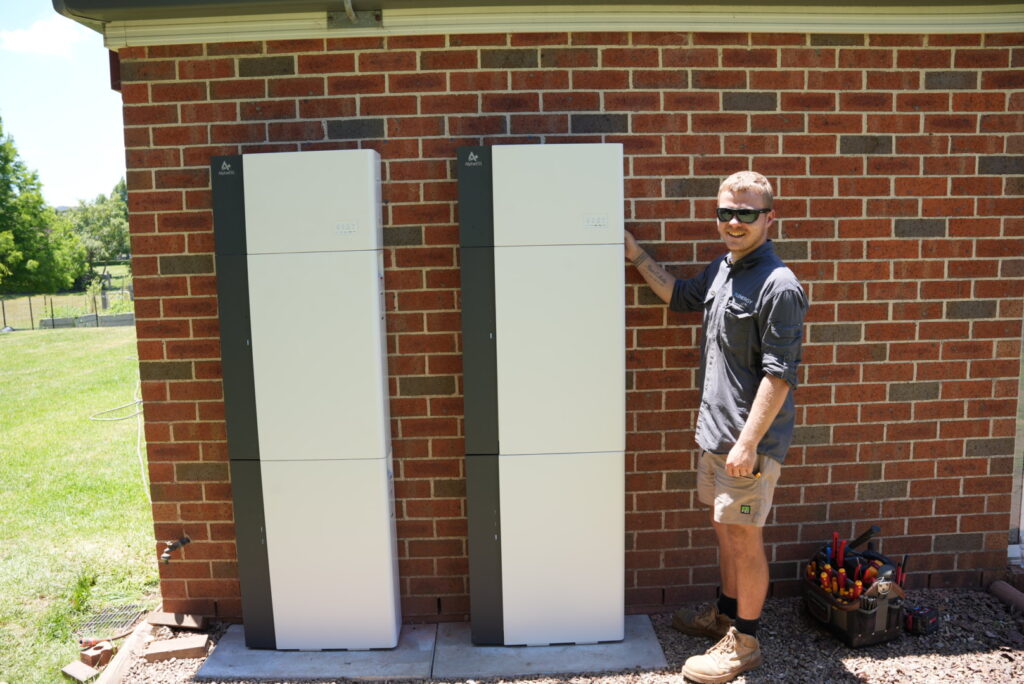
The AlphaCloud app is the mobile companion for your AlphaESS battery system. It lets you view and manage your solar energy storage from your phone — whether you’re at home or on the go.
In short: it’s how you see what your battery is doing.
With AlphaCloud, you can:
- Check how much energy your solar system is generating
- See how much energy your home is using
- Track how much power you’re drawing from or sending to the grid
- Monitor battery charge levels in real time
- View historical data to understand your usage patterns
For most homeowners, this isn’t just a handy feature — it’s essential. You’ve invested in solar and battery storage to gain energy independence and reduce power bills. AlphaCloud shows you how well that’s working. Without it, you’re flying blind.
The app is free and works on both Android and iOS devices. And once it’s set up, you don’t need to do much — it runs in the background, gathering data and giving you insights whenever you open it.
Before You Begin: What You’ll Need for Setup (Fact Checked)
Before you start the setup, gather the following:
- A smartphone or tablet with internet access
- The AlphaCloud app installed from the App Store or Google Play
- A reliable home Wi‑Fi connection so your system can send data to the cloud
- Your system’s serial number (SN) printed on your AlphaESS battery unit
Having these ready will make the setup process smoother.
Step‑by‑Step: How to Set Up the AlphaCloud App
Step 1: Download the App
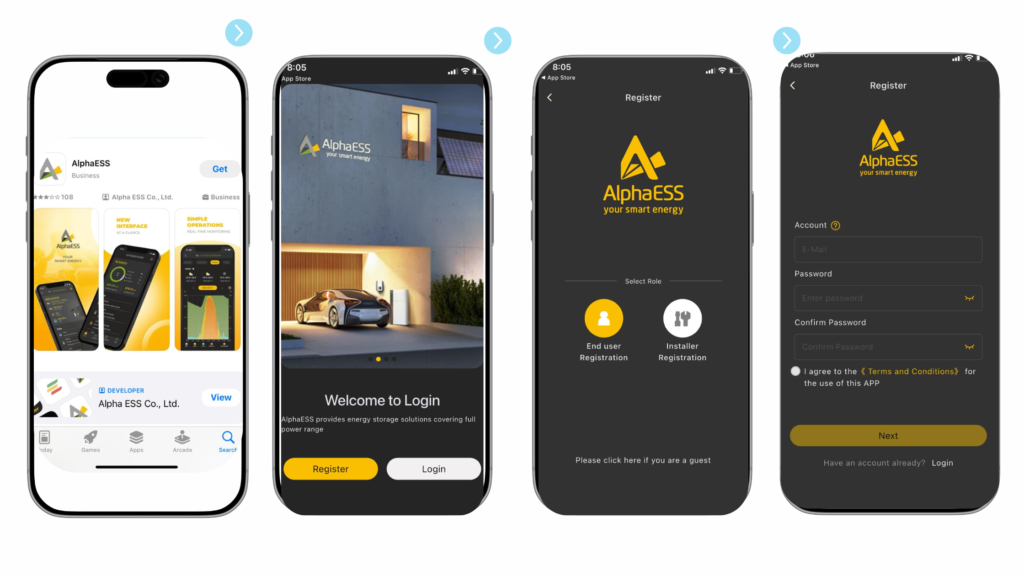
- Search for “AlphaCloud” in the App Store or Google Play and install the app.
Step 2: Register or Log In
- Open the app. You may be prompted to register a new account (for end users, not installers).
- Enter a valid email and set a secure password to create your account.
- After entering all required details, tap “OK.” An activation email will be sent to your email address. Open the email and follow the link inside to activate your account before continuing.
Step 3: Associate Your AlphaESS Device
After you’ve activated your account and logged in to the AlphaCloud app, you will see the homepage and a system list if your account is already associated with a system. The system list displays the serial number (SN) of each device linked to your account.
To view your specific battery system:
- Look for your AlphaESS system SN in the list.
- Tap the SN to open your system dashboard and see real‑time data.
If the system isn’t showing or your installer hasn’t linked it yet, contact your installer and ask them to associate your AlphaESS battery with your AlphaCloud account.
Step 4: Configure Wi‑Fi (If Needed)
- The app guides you through connecting your system’s Wi‑Fi module to your home network, enabling cloud monitoring.
- If it shows offline, it generally means the system is not connected to Wi‑Fi.
What You Can Do After Setup (Quick Overview of Features)
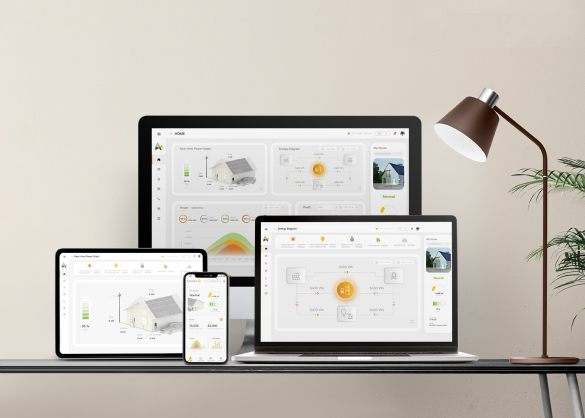
Once your AlphaCloud app is set up and linked to your battery, you can start monitoring and managing your system. Here’s a quick look at what you can do inside the app:
View Real-Time System Status
- See how much solar power you’re generating
- Monitor how much energy is being stored in your battery
- Check if your home is drawing from the grid, battery, or solar
Track Daily Energy Flow
- View daily graphs of solar generation, battery charge/discharge, and household consumption
- Understand your peak usage times and how much power you’re exporting
Access Historical Data
- Look back at energy performance by day, week, or month
- See how your solar and battery setup is performing over time
Get Alerts and Notifications
- Be notified if your system goes offline or experiences faults
- Stay informed with system updates or app changes
Use Data to Optimise Your Energy Use
- Identify the best times to run appliances
- Spot patterns in your usage to reduce grid reliance
- Monitor how changes in your routine or weather affect performance
You don’t need to be glued to the app — but checking in regularly helps you make the most of your solar and battery investment.
Where to Get Help If You’re Stuck
If you’ve followed the steps and still can’t get your AlphaCloud app working properly, don’t worry — there’s help available.
Start with Your Installer
Your installer is your first point of contact. They can:
- Confirm your system is online and properly configured
- Help with SN code or Wi-Fi connection issues
If you’re a Lenergy customer, get in touch with our support team below.
AlphaESS Support (Australia)
For app-specific issues (like errors, bugs, or account lockouts), you can contact AlphaESS Australia directly.
- Phone: 1300 968 933
- Email: australia@alpha-ess.com
- Website: www.alpha-ess.com.au
Other Resources
- User manual: Your AlphaESS system includes a printed or digital user guide
Getting the app connected might feel like a small step — but it unlocks a lot of value from your battery system. Once it’s running, you’ll wonder how you ever managed without it.