How To Safely Shutdown and Restart Your Sigenergy SigenStor Battery System
This is a guide on how to shut down your Sigenergy SigenStor battery. The job is simple once you follow the order. This guide shows you how to shut down and repower a SigenStor, step by step, whether your system has an AC isolator or uses the Sigenergy gateway.
The whole job is a short sequence of switches. You turn things off in order, then turn them back on in reverse.
This guide covers:
- why you might shut down your Sigenergy SigenStor battery
- the exact shutdown steps, in order
- what to do if there is no AC isolator fitted
- how to power the battery back on
Why would you shut down your SigenStor battery?
Most of the time your SigenStor just runs. You would only shut it down for a specific reason, such as:
- electrical or roof work that needs the system fully off
- a fault you are working through with support
- an emergency where you need to isolate the system
Shutting down safely means powering the system off in the right order, then repowering it the same way in reverse. The steps below follow Lenergy technician Ziad, who runs through the process on a SigenStor we installed at Canyonleigh. Whether your home has an AC isolator next to the battery or uses the Sigenergy gateway comes down to how your system was set up on your battery install day. Both paths are covered below.
How do you shut down a Sigenergy SigenStor battery?
Work through these steps in order. This path is for a system with a battery inverter AC isolator fitted next to the battery. If yours does not have one, read the next section first.
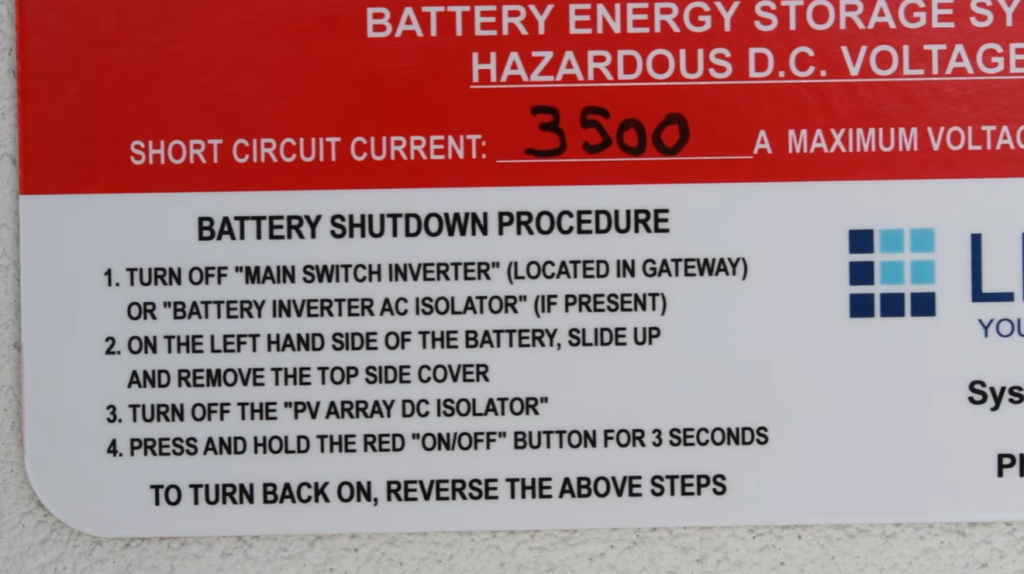
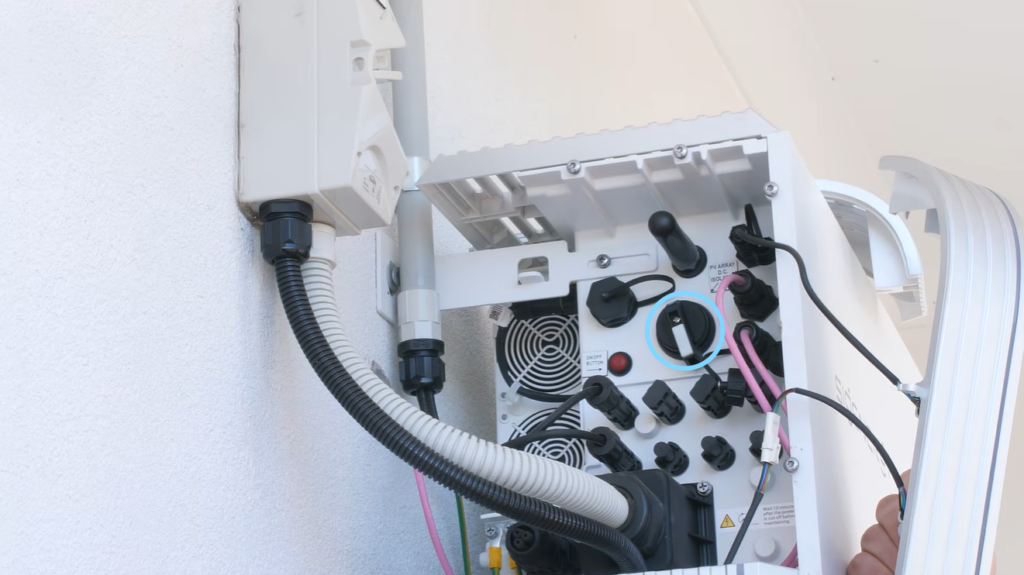
Before you start: the PV array DC isolator can be very stiff, and that is normal. If it feels stuck, nothing is broken. You just need to turn it firmly until it clicks off.
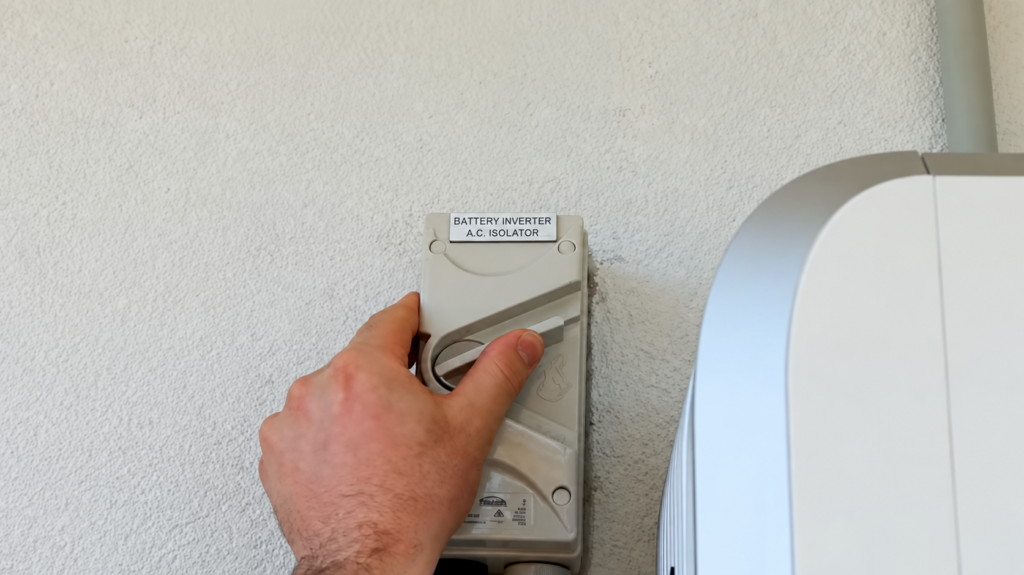
- Turn off the battery inverter AC isolator next to the battery.
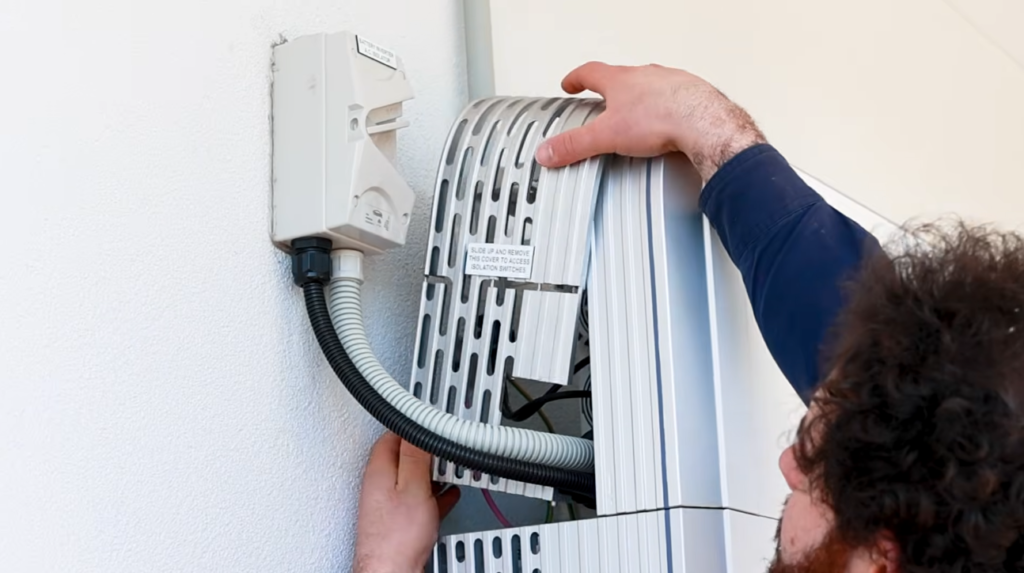
- Remove the plastic covers from the left-hand side of the battery.
- Turn off the PV array DC isolator. It may also be marked as the DC switch. Turn it firmly, as it can be stiff.
- Press and hold the red button on the battery for about 5 seconds, until you hear a click.
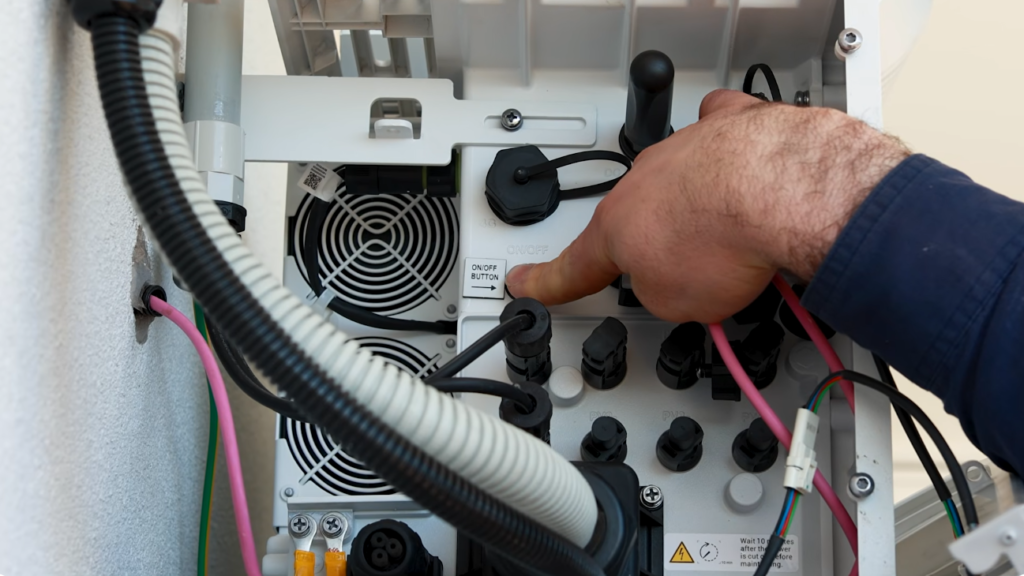
Your system is now powered down.
What if there is no AC isolator fitted?
Some systems do not have an AC isolator next to the battery. If that is yours, you use the Sigenergy gateway instead. Only the first step changes.
In place of step 1 above:
- Find the Sigenergy gateway.
- Press the button on the gateway in and rotate the handle towards the wall to unlock it.
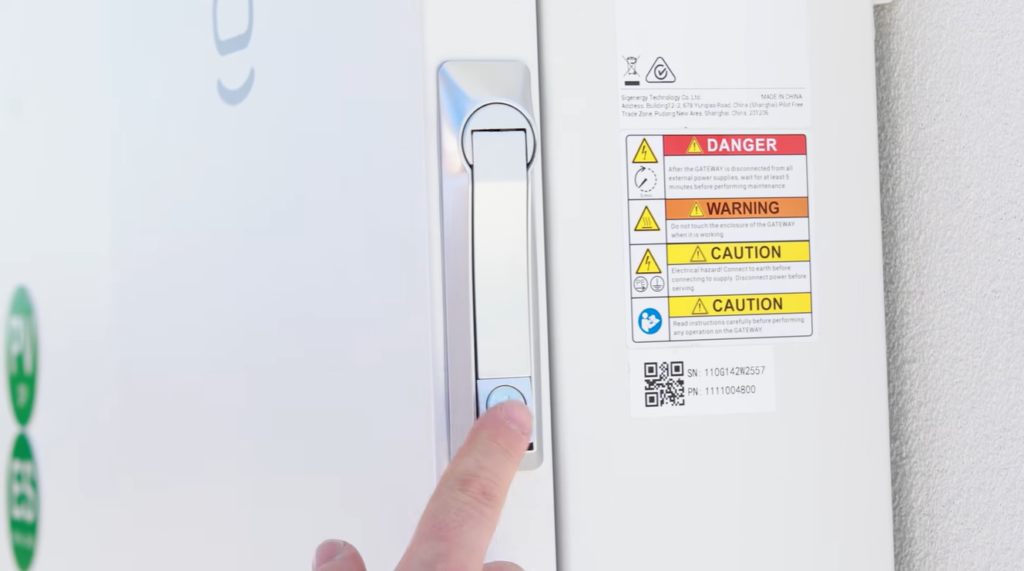
- Open the door and turn off the inverter main switch.
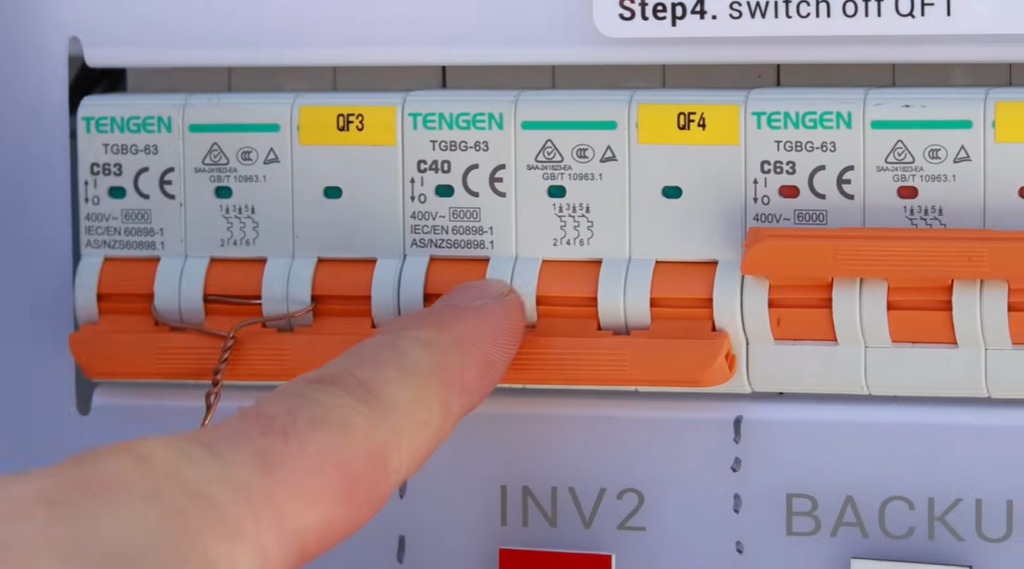
Your system is now powered down.
How do you power the battery back on?
Turning the system back on runs in reverse. Work through it in this order:
- Press and hold the red button on the battery for 3 seconds.
- Turn on the PV array DC isolator.
- Turn on the battery inverter AC isolator. If there is no AC isolator, go to the gateway and turn on the inverter main switch instead.
Give it about 5 minutes to power back up. You can confirm it is back online in the mySigen app.
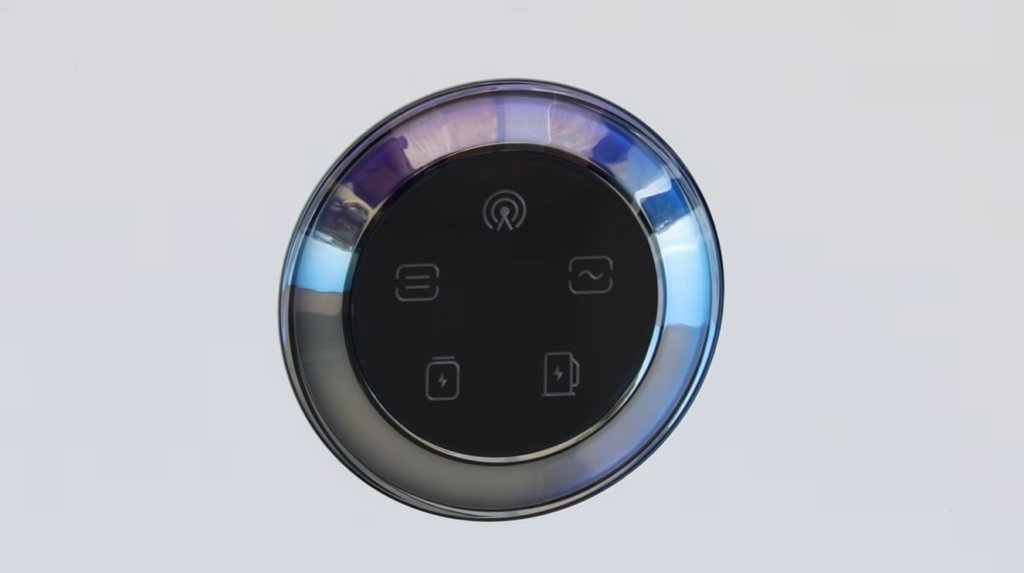
Once the system is on, refit the plastic covers on the left-hand side of the battery. That is the shutdown and restart done.
If you get stuck at any point, Lenergy’s customer support team can talk you through it.
Want to know more about battery safety at home? Read our guide on whether solar batteries are safe.
Frequently Asked Questions
What is the correct order to shut down a Sigenergy SigenStor battery system?
Turn things off in this order: the battery inverter AC isolator next to the battery, then remove the left-hand plastic covers, then the PV array DC isolator, then press and hold the red button on the battery for about 5 seconds until it clicks. That powers the system down. If there is no AC isolator, you turn off the inverter main switch in the Sigenergy gateway in place of the first step.
What do I do if there is no AC isolator fitted next to my SigenStor battery?
You use the Sigenergy gateway instead. Find the gateway, press the button in and rotate the handle towards the wall to open it, then open the door and turn off the inverter main switch. After that, follow the same steps as any other system: remove the left-hand covers, turn off the DC isolator, and hold the red button until it clicks.
How long does a Sigenergy SigenStor battery take to restart after shutdown?
After you turn everything back on, give it about 5 minutes to power back up. Once it is on, refit the left-hand covers. If it does not come back after a few minutes, check that the DC isolator and the AC isolator or gateway main switch are fully on, then contact Lenergy support if you are still stuck.
Is it safe to shut down my Sigenergy battery myself?
Yes, for the shutdown and restart steps in this guide. You are only switching isolators and holding a button, not touching any wiring. Take care, work in the right order, and if anything looks wrong or you are unsure, leave it and call Lenergy support rather than forcing it.