How to Set a Force Charging Schedule on Your Sigenergy Battery
The Solar Sharer Offer gives eligible homes at least three hours of free daytime electricity, so it pays to have your battery charging from the grid while that power costs nothing. This guide shows you how to set a force charging schedule on a Sigenergy SigenStor in the mySigen app, step by step.
The whole job is one setting change. You switch the battery to time-based control, then draw a simple daily schedule that charges during your free hours.
This guide covers:
- why you would force charge your Sigenergy battery from the grid
- the exact steps in the mySigen app, in order
- how to set the schedule to match your own free hours
Why force charge your Sigenergy battery from the grid?
Most SigenStor systems run in self-consumption mode by default. The battery stores your solar and feeds the house first, which suits most days. The Solar Sharer Offer changes the maths for part of the day. During your free window, grid power costs nothing, so filling the battery from the grid gives you cheaper stored energy for the evening peak.
Force charging is simply telling the battery to draw from the grid during set hours instead of waiting for the sun. You can force charge a battery from the grid on a SigenStor through a time-based schedule, which is what the rest of this guide walks through.
How do you set a force charging schedule in the mySigen app?
Lenergy technician Ziad sets one up in the video. Here is the same process, step by step. The in-app menu names below are against the current mySigen version.
Open the mySigen app on your phone, then:
- Tap Settings at the bottom of the screen.
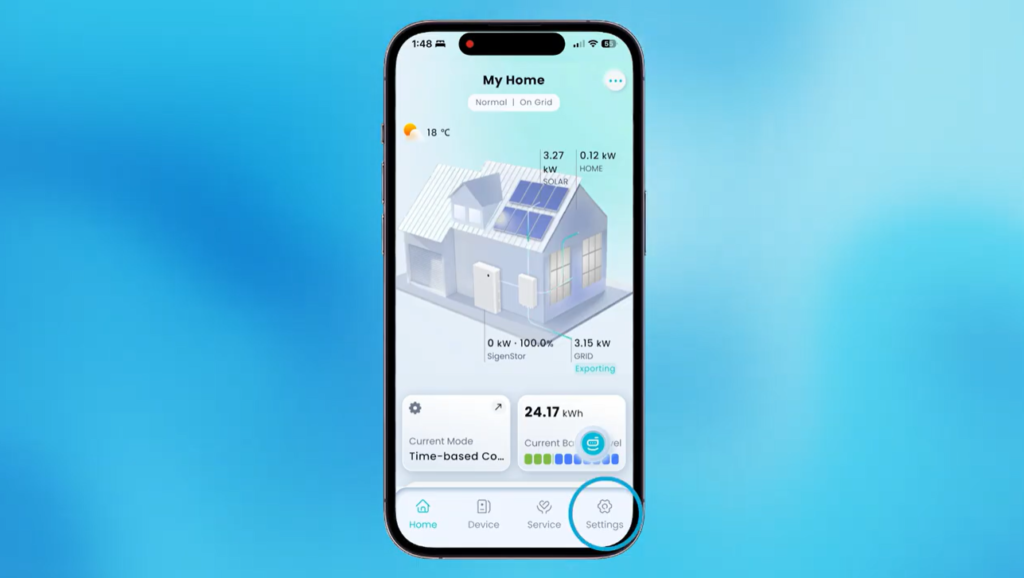
- Open System settings,
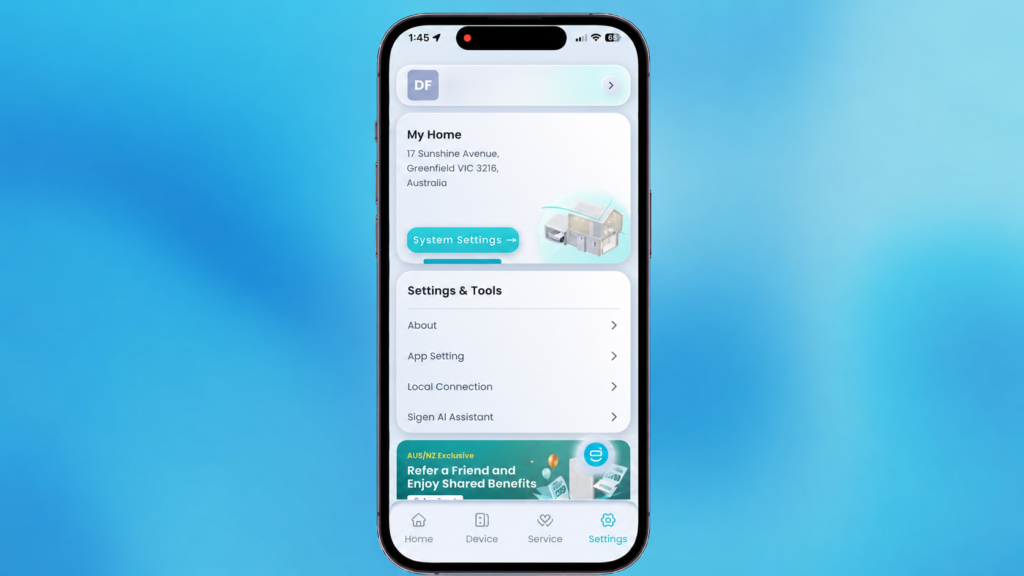
- Then Energy management settings,
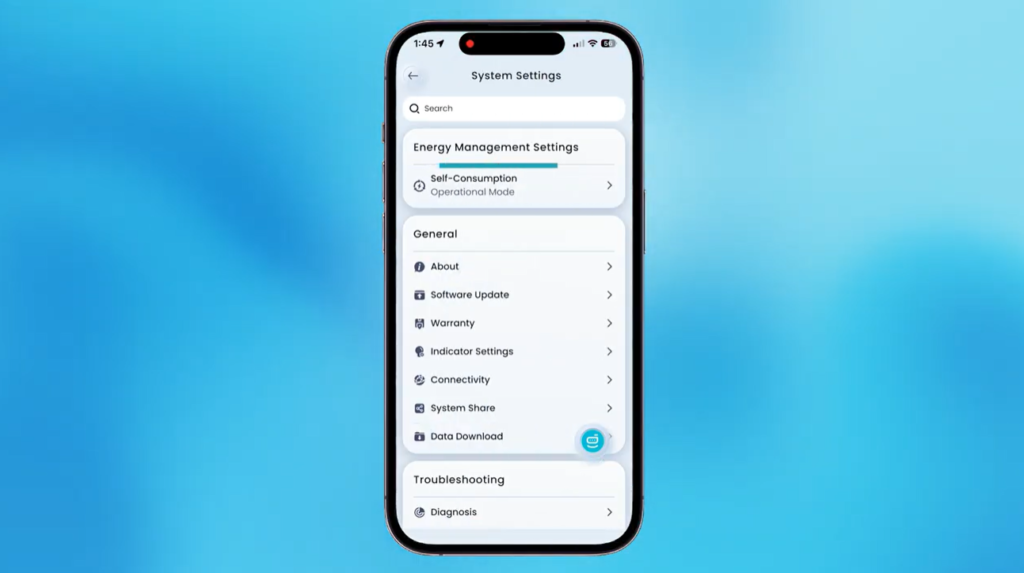
- Then Current mode.
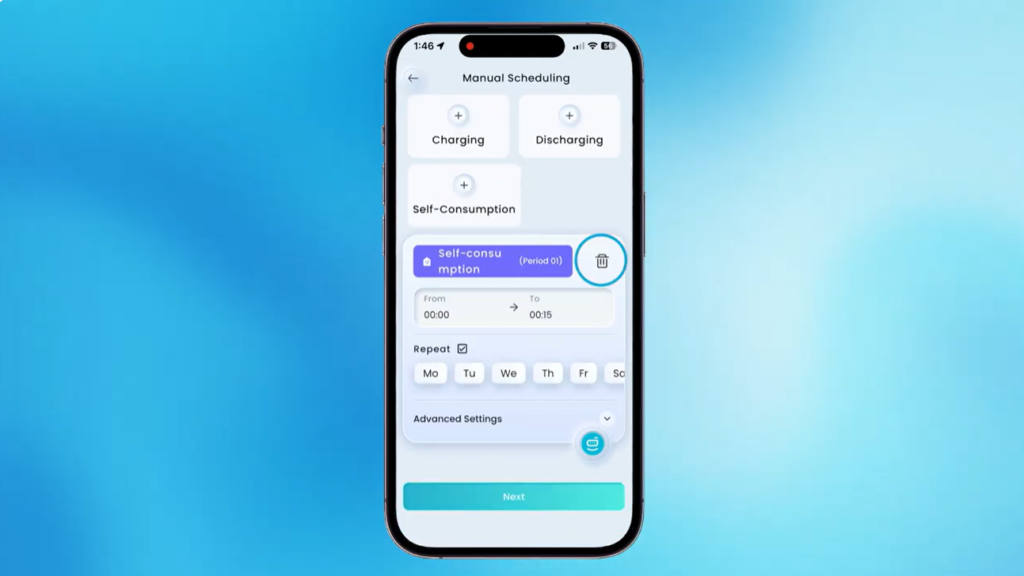
- Change the mode from Self-consumption, or whatever it is set to, to Time-based control.
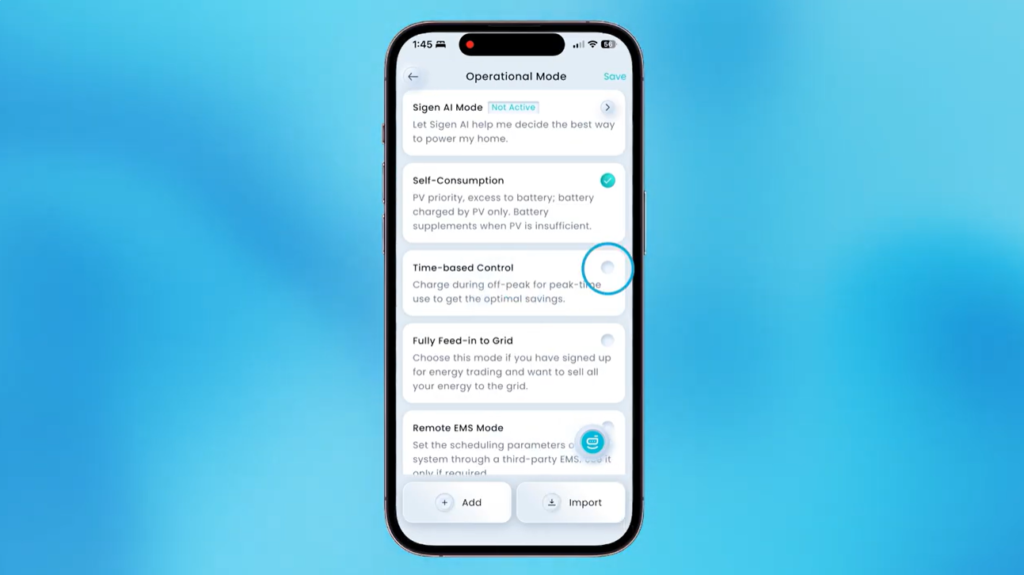
- Tap Schedule.
- If this is your first schedule, the page is blank.
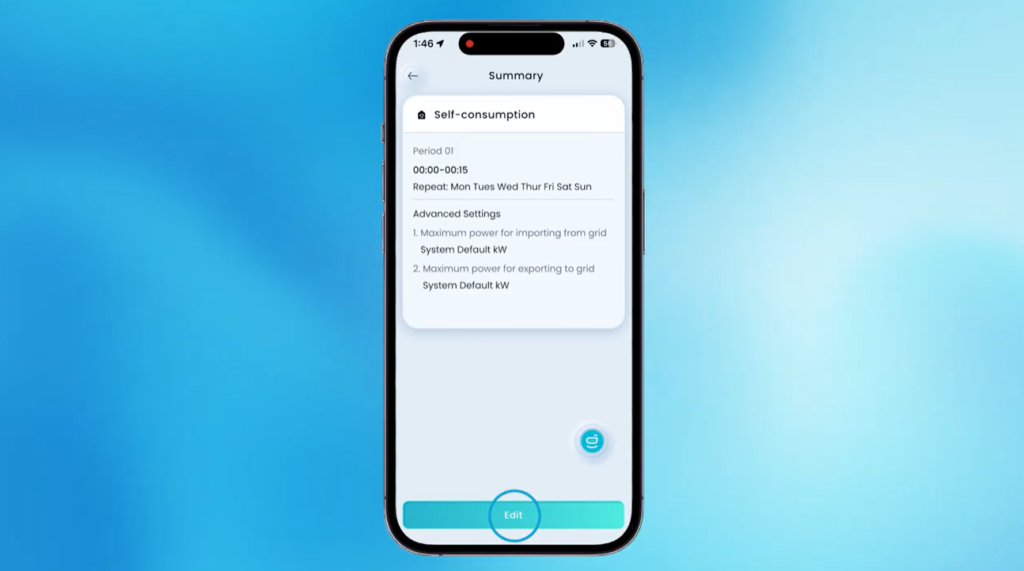
- Tap Edit and clear anything already there.
Now picture the day as a single timeline from midnight to midnight. You fill it with three blocks.
9. Set Self-consumption from midnight to 11am.
10. Tap Charging to add the force charging block. It starts where the last block ended, at 11am. Change the end time to 2pm.
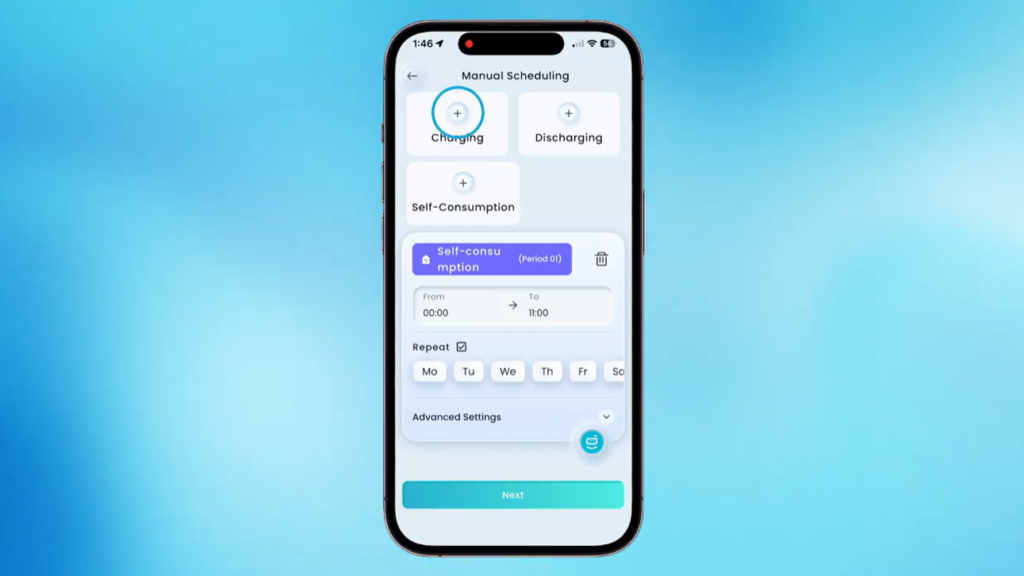
11. Tap Self-consumption again to fill the last gap. It runs from 2pm to midnight automatically.
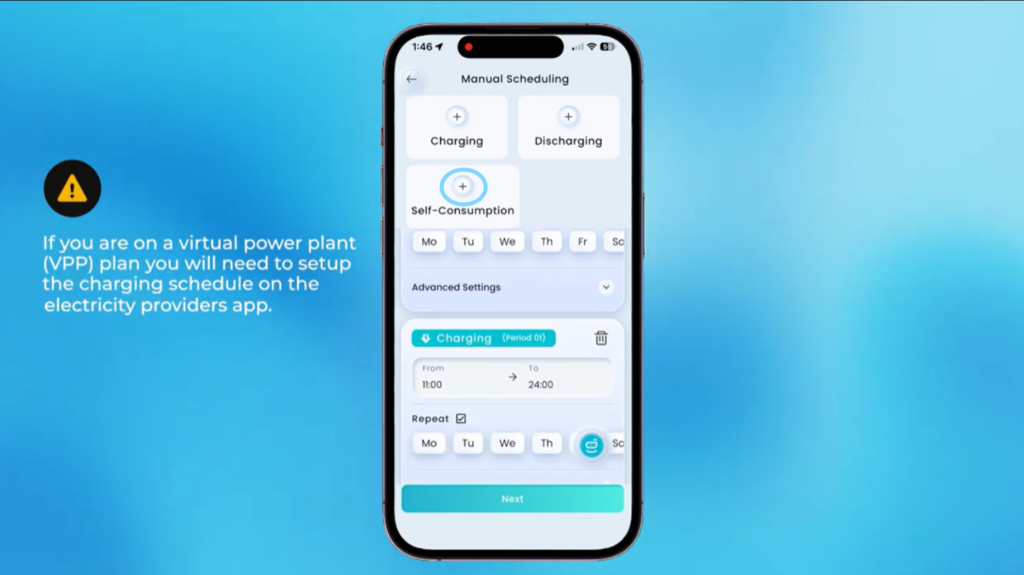
That covers the full day. Leave the advanced settings below as the system default. There is nothing else to change there.
12. Tap Next, then Save, then Save again in the top right corner.
The schedule is set. Your battery will force charge from the grid between 11am and 2pm, then return to normal use for the rest of the day.
How do you know the schedule is working?
Once saved, the schedule runs on its own each day. During your free window, the app should show the battery charging from the grid. If it does, you are set. The schedule repeats daily until you change it, so this is a one-time job.
What if your free hours are different?
The 11am to 2pm window in the video is only an example. Your retailer sets your own free hours under the Solar Sharer Offer, and they may sit at a different time, such as noon to 3pm. The method does not change. Set self-consumption up to the start of your free window, set the charging block to match your free hours exactly, then set self-consumption again to fill the rest of the day. Save it the same way.
Check your plan for the exact hours before you set the times, so the charging block lines up with the free window and not a minute either side.
If you want to squeeze the most out of that daily free window, read our guide on the five best ways to take advantage of three free hours of energy.
Frequently Asked Questions
How do I force charge my Sigenergy battery?
Open the mySigen app, go to Settings, then System settings, Energy management settings and Current mode. Switch from Self-consumption to Time-based control, then build a daily schedule with a Charging block set to your free hours. Save it, and the battery will force charge from the grid during that window each day.
Can I charge my Sigenergy battery during the free electricity hours?
Yes. A time-based schedule lets you set a charging block that matches your retailer’s free window under the Solar Sharer Offer. During those hours the battery draws from the grid at no energy cost, then powers your home through the evening peak.
Do I need an installer to set a force charging schedule?
No. The whole change happens in the mySigen app on your phone, and it takes a couple of minutes. You are only changing the operating mode and the daily schedule, not the hardware or wiring.
What if my free hours are not 11am to 2pm?
Use your own hours. The 11am to 2pm window is just the example from the video. Set the charging block to your retailer’s free window exactly, with self-consumption filling the time before and after. The steps are identical.