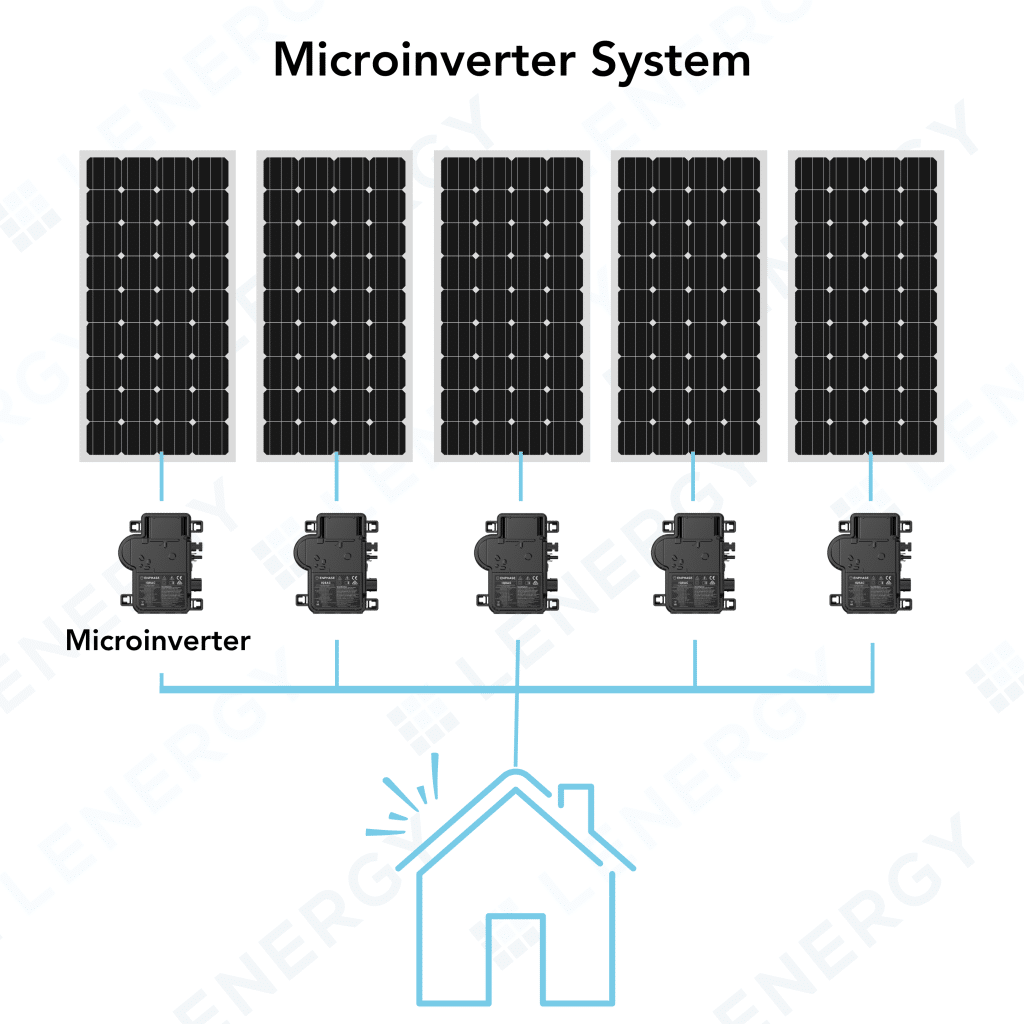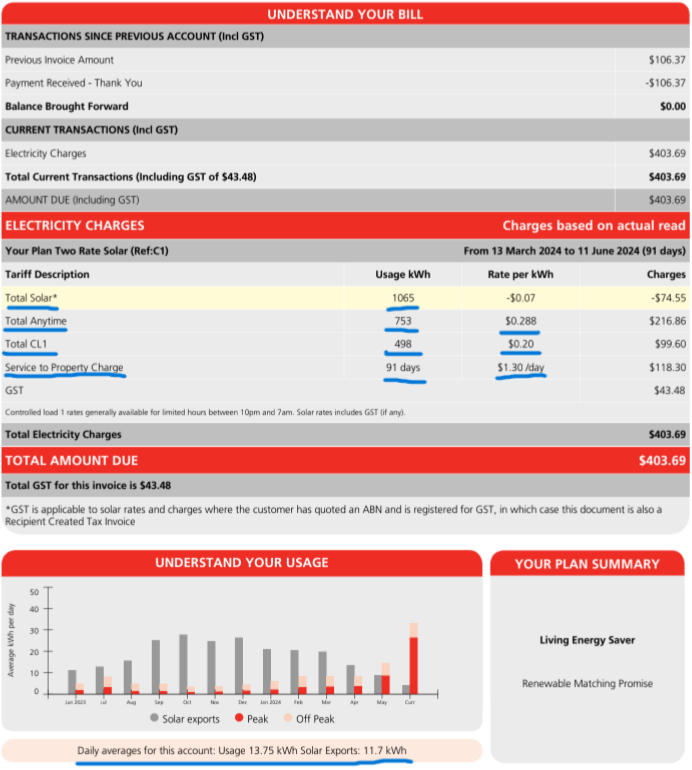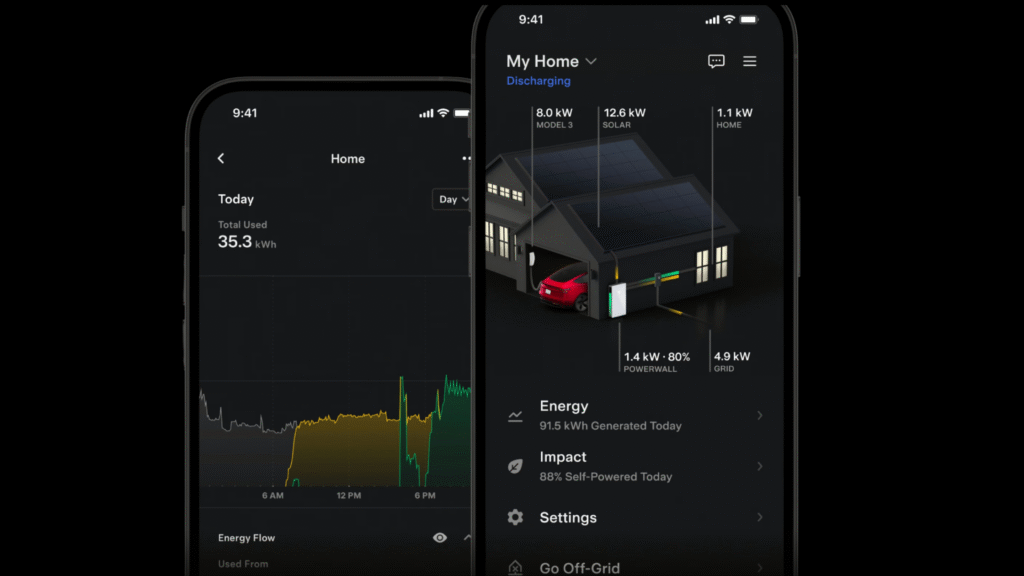
Author: Donna Wentworth

Bidirectional EV Charging with the Sigenergy SigenStor: A Complete Guide

You’ve got solar, you’re eyeing a battery, and your EV is the biggest “battery” you own — but using it to power your home still feels murky. Is bidirectional charging real yet in Australia? What even is it? Will it work with your car? And is a DC charger worth the price compared to a standard wall box, especially with tariffs shifting and evening usage hurting your bill? (NSW’s rising prices and modest feed‑in credits are pushing more households toward self‑consumption.)

In this guide, you’ll get a walkthrough of Sigenergy’s SigenStor DC bidirectional charger — how it fits into a SigenStor solar‑plus‑battery system, what it can and can’t do today, what it costs to install, and which EVs in Australia have been tested.

What is bidirectional EV charging?

The simple version: most chargers only push energy into your EV. Bidirectional charging lets energy also flow out of the EV when you want it.

  • V2H (Vehicle‑to‑Home): your EV helps run your home — for bill savings at night or for backup during outages.
  • V2G (Vehicle‑to‑Grid): your EV exports to the grid (or a retailer/VPP) when prices are attractive.
  • V2L (Vehicle‑to‑Load): a socket to power tools/appliances directly from the car (handy, but separate from whole‑home support).
  • V2X: umbrella term covering the above (home, grid, building, loads).

Why DC matters:

  • AC chargers rely on the EV’s onboard inverter. They’re common (7–22 kW), cheaper, and one‑way in most homes.
  • DC chargers use an external power module to convert power. Sigenergy’s SigenStor module is DC and bi‑directional, so it can charge fast and discharge from the EV back to the home/grid (V2X) when supported by the car and the system. That’s how you unlock meaningful V2H/V2G.

Why Australians care in 2025:

  • Evening grid prices are the sting in the bill, while daytime solar exports are worth less. Using your own solar later — either from a home battery or your EV — boosts self‑consumption and cushions price spikes.

How the Sigenergy SigenStor DC EV Charger Works

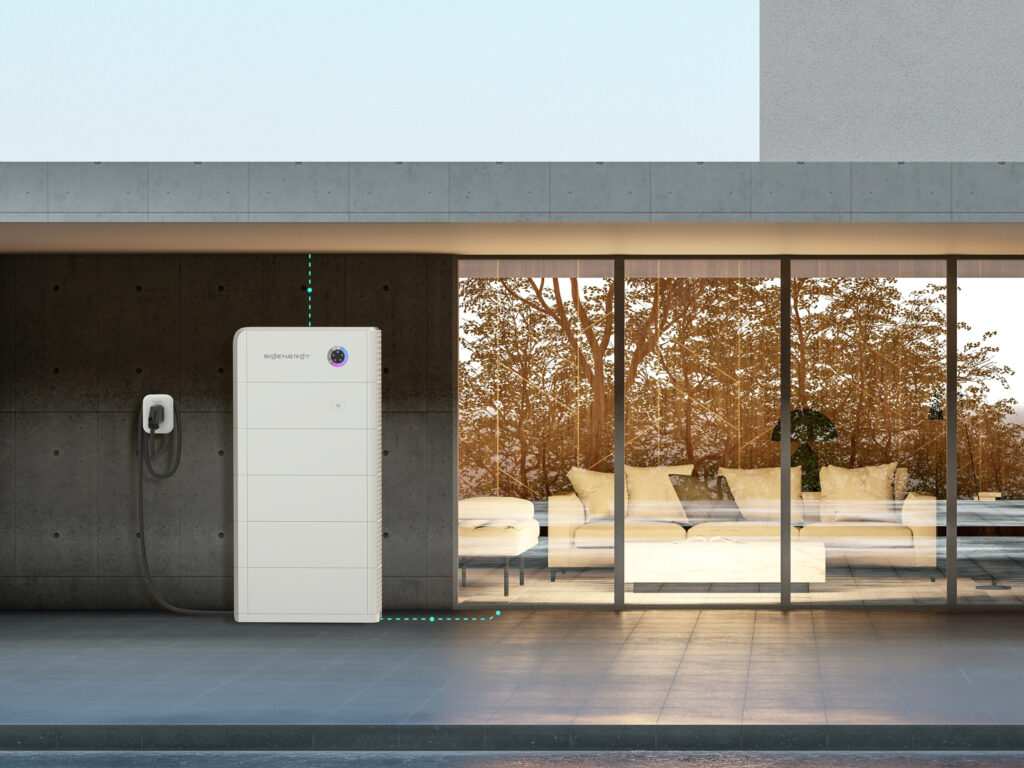
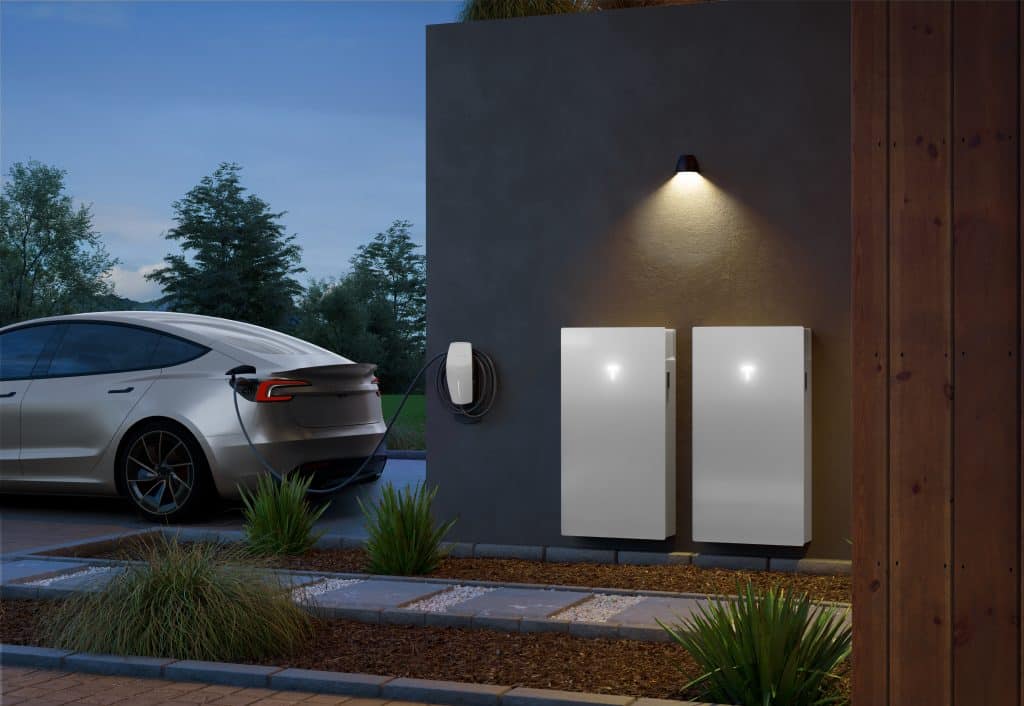
The Sigenergy SigenStor DC EV charger isn’t a standalone wall box — it’s an add-on module that works as part of the SigenStor solar-plus-battery system. That integration is what enables its bidirectional capability and high charging speeds.

Direct DC-to-DC Connection

Most home EV chargers are AC chargers, which feed power into your car through its onboard inverter. This means the car controls charging speed and efficiency. The SigenStor charger, however, uses a DC-to-DC link between your home battery/solar system and your EV’s battery.

  • Result: Less conversion loss, higher efficiency, and faster charge/discharge rates.
  • Speeds:
    • 12.5 kW model → adds roughly 75 km of range per hour.
    • 25 kW model → adds roughly 150 km of range per hour (actual figures depend on the car’s efficiency and charging curve).

Bidirectional Power Flow

The charger can send power to the EV (charging) and from the EV (discharging). This supports:

  • V2H (Vehicle-to-Home) — powering household loads from your EV battery during the evening or a blackout.
  • V2G (Vehicle-to-Grid) — exporting power to the grid when tariffs are high (if supported by your retailer or a VPP program).
  • PV surplus charging — prioritising charging from excess solar generation.

Integration with SigenStor Energy Management

As it’s built for the SigenStor ecosystem, the charger works with Sigenergy’s AI-driven energy management platform:

  • Automatically decides when to charge or discharge based on tariff schedules, solar production, and household demand.
  • Allows manual control via the Sigenergy app for instant override.
  • Can coordinate with the home battery so you decide whether energy sits in the car, in the stationary battery, or both.
AI powered home battery - Sigenergy

Safety and Standards

The DC charger uses the CCS2 (Combined Charging System) standard — the same connector found on most modern EVs in Australia — and includes:

  • IP65 weather resistance for outdoor installation.
  • Overvoltage, overcurrent, and temperature protections.
  • Emergency stop and isolation features for maintenance.

Key Specs & Features

Models: 12.5 kW and 25 kW

Rated Power:

  • 12.5 kW → up to 12,500 W DC output/input (~75 km range/hour)
  • 25 kW → up to 25,000 W DC output/input (~150 km range/hour)
    (Speeds vary by EV efficiency and charging curve.)

Voltage Range: 150–1000 V DC

Max Current: 35 A (12.5 kW) / 70 A (25 kW)

Connector: CCS2, 10 m cable

Bidirectional functions: V2H, V2G, PV surplus charging

Smart features: App-based control, programmable schedules, AI-optimised charging

Build: IP65 weather rating, forced air cooling, operating range -20 °C to +55 °C

Safety: Overvoltage, overcurrent, temperature protection, emergency stop

Installation Notes

  • Only works as part of a SigenStor system (cannot be installed as a completely standalone charger).
  • Can be mounted indoors or outdoors, wall or pedestal-mounted.

Vehicle Compatibility in Australia (2025)

While bidirectional charging is an exciting concept, it’s only useful if your EV supports it. As of August 2025, Sigenergy has confirmed and tested a short but growing list of compatible EV models in Australia.

Currently Tested & Confirmed Models

From Sigenergy’s own compatibility testing:

  • Volvo C40 Recharge
  • BYD Atto 3
  • Ford F-150 Lightning

These models are confirmed to work with the SigenStor DC charger for both charging and discharging (V2H/V2G), provided the firmware on the vehicle is updated to the tested version or newer.

Future Compatibility

Sigenergy is actively expanding the list of supported models as more EV makers enable bidirectional functionality. Popular models expected to be tested in the next 12–18 months include:

  • Hyundai Ioniq 5 / Ioniq 6
  • Kia EV6
  • Nissan Leaf (latest models with CHAdeMO → CCS2 adapters pending approval)

If you’re considering this charger, it’s important to confirm compatibility with your EV dealer or installer before purchase — especially if your car is not on the official tested list.

Installation and Pricing

The Sigenergy DC EV charger is not a cheap plug-and-play unit — it’s a high-power, bidirectional module that needs to be integrated into your existing or new SigenStor system by a qualified installer.

Pricing (Including Installation)

Model & Install TimingPrice (AUD, incl. GST)
12.5 kW — Installed same day as solar/BESS$6,644.22
12.5 kW — Separate visit$7,222.38
25 kW — Installed same day as solar/BESS$8,396.62
25 kW — Separate visit$8,974.78

Notes:

  • Prices include the 10 m CCS2 charging cable.
  • “Same day” install means the charger is fitted at the same time as your SigenStor battery or solar system, saving on labour and travel costs.
  • “Separate visit” pricing reflects the extra time and labour to retrofit the charger later.

Installation Requirements

  • Must be part of a SigenStor system.
  • Installed by a Clean Energy Council-accredited installer.
  • Suitable for indoor/outdoor mounting.

Pros and Cons

Like any emerging technology, the Sigenergy SigenStor DC EV Charger has clear strengths — but also some limitations you should be aware of before investing.

Pros

  • Fast DC Charging at Home
    With up to 25 kW charging power, it’s significantly faster than most residential AC wall boxes (typically 7–11 kW). This means shorter top-up times and greater flexibility.
  • True Bidirectional Capability
    Supports V2H (Vehicle-to-Home) and V2G (Vehicle-to-Grid), so your EV can act as a large home battery or even earn income from exporting to the grid if your retailer offers a program.
  • High Efficiency
    Direct DC-to-DC transfer avoids double conversion losses, achieving efficiency above 97%, which means less wasted energy and lower charging costs.
  • Seamless Integration with Solar & Battery
    Works natively with the SigenStor system, allowing intelligent energy management and easy switching between EV, home battery, and household loads.
  • Future-Proof Design
    Supports the CCS2 standard and is built to handle the ISO 15118-20 bidirectional protocol, which more EV makers are adopting.

Cons

  • Limited Compatibility Today
    As of 2025, only a few EV models in Australia are officially supported (Volvo C40, BYD Atto 3, Ford F-150 Lightning). If your car isn’t on the list, you can’t use V2H/V2G yet.
  • High Upfront Cost
    $6,600–$9,000 installed is a big investment, especially if your EV can’t yet take advantage of bidirectional functions.
  • Requires Full SigenStor System
    You can’t install this charger as a standalone product — it must be paired with a SigenStor battery/inverter setup, which adds cost and complexity.
  • New Technology Risks
    Bidirectional charging standards are still maturing, and firmware updates (both from Sigenergy and car manufacturers) may be needed for full functionality.

How It Compares

High-power home EV charging is still a niche market in Australia — and true bidirectional options are even rarer. Here’s how the SigenStor DC charger stacks up against other contenders.

Compared to Typical AC Wall Boxes

  • Power Output: Many home AC chargers deliver 7 kW (single-phase) or up to 22 kW (three-phase). While these can be quick, the SigenStor’s 12.5 kW and 25 kW direct DC output bypasses the EV’s onboard inverter for higher real-world efficiency and sustained high-speed charging — particularly valuable for large-battery EVs.
  • Bidirectional Capability: AC units are usually one-way. Even the few AC bidirectional chargers (like the Wallbox Quasar 2) are limited in Australia due to compatibility and certification hurdles.
  • Efficiency: DC avoids the EV’s onboard inverter, reducing losses.

Compared to Other DC Home Chargers

  • Wallbox Quasar 2 (DC, bidirectional): Not yet widely available in Australia, limited to 7.4 kW, CHAdeMO and CCS2 in some markets — but at lower power than the Sigenergy.
  • FIMER & Delta DC Chargers: Offer high-speed DC charging (10–25 kW), but typically lack residential bidirectional capability in Australia.
  • Cost: Sigenergy pricing ($6.6k–$9k installed) is competitive with other high-end DC home chargers, though the SigenStor requirement adds a system cost layer.

Why It Stands Out

  • Integration: The SigenStor module is part of a complete solar + battery ecosystem, enabling smooth energy management without third-party controllers.
  • Higher Power: 25 kW is among the fastest home-capable DC chargers on the market.
  • Bidirectional with CCS2: Future-ready for the standard most new EVs in Australia are adopting.

Where Others Might Be Better

  • If you don’t have (or plan to have) a SigenStor system, a standalone AC or DC charger from brands like Fronius, Delta, or Tesla may be more cost-effective.
  • If you own a CHAdeMO vehicle (e.g., older Nissan Leaf), specialised CHAdeMO bidirectional chargers are more suitable — though their future in Australia is uncertain.

Is It Worth It?

Whether the Sigenergy SigenStor DC EV charger is a smart buy for you depends on your EV, your energy setup, and your goals.

It Makes Sense If:

  • You already own (or plan to buy) a compatible EV like the Volvo C40, BYD Atto 3, or Ford F-150 Lightning — and want to use it for V2H or V2G now.
  • You’re installing a SigenStor solar + battery system and want fast, efficient EV charging built into your energy ecosystem.
  • You have high evening power use or want blackout resilience without buying an oversized stationary battery.
  • You’re in a state with battery rebates or VPP incentives, which help offset the cost.
  • You value future-proofing — knowing more EV models will support bidirectional charging in the coming years.

You Might Wait If:

  • Your EV isn’t yet compatible — you’d be paying for features you can’t use.
  • You don’t plan to install the full SigenStor system.
  • Your driving patterns mean you’re rarely home during the day to charge from solar, limiting V2H/V2G benefits.
  • You’re waiting for more competition in the home bidirectional market, which could push prices down.

The SigenStor DC charger is one of the fastest and most capable bidirectional home chargers available in Australia, however its value hinges on having the right EV and the SigenStor ecosystem in place. If you tick those boxes, it can significantly boost your energy independence and make your EV a genuine part of your home’s energy strategy. If not, you may be better served by a standard AC charger for now — and revisit bidirectional options when compatibility and incentives improve.

Sigenergy Sigen AC EV Charger Review: Features, Costs, Pros and Cons

Choosing the right home EV charger is as important as choosing the car itself. With so many options promising speed, smart features, and solar integration, it can be hard to tell which ones genuinely deliver.

The Sigenergy Sigen AC EV Charger is designed for both standard home charging and full integration with Sigenergy’s SigenStor solar and battery system. In this review, you’ll get a clear breakdown of what it does, how it performs, how much it costs, and when it makes sense to choose it over other chargers.

What is the Sigenergy Sigen AC EV Charger?

The Sigenergy Sigen AC EV Charger is a home and workplace charging solution designed for Australian electric vehicle owners. It’s available in three power levels:

  • 7.0 kW – best suited for single-phase homes and overnight charging
  • 11.0 kW – three-phase, faster turnaround for compatible EVs
  • 22.0 kW – three-phase, the fastest option for home or small business use

All models use the Type 2 connector standard, which is the default for Australian EVs, meaning it’s compatible with the vast majority of vehicles on the market. You can choose between a socket with a shutter (extra safety) or a tethered cable version for convenience.

The “AC” refers to “Alternating Current”, which is the standard voltage that your home runs off already. Why it’s mentioned is because they have an alternative “DC” charger which refers to “Direct Current” which you get straight from your solar and battery system before it converts to the AC power in your home. There are certain benefits to this.

What makes the Sigen AC EV Charger different from a generic wall unit is its ability to work as a stand-alone charger or as part of the Sigenergy ecosystem. If you have a Sigenergy SigenStor battery and solar setup, the charger can:

  • Use surplus solar power to charge your EV, reducing grid reliance
  • Schedule charging based on time-of-use tariffs or your own preferences
  • Coordinate charging with your home battery so you’re using stored renewable energy rather than peak-rate grid electricity

It’s also designed for both indoor and outdoor installation. With an IP65 weather rating and IK10 impact resistance, it can handle Australia’s climate — from heavy rain to blazing summer sun — while being robust enough for garage or driveway mounting. See more in our recent article here.

In short, the Sigen AC EV Charger is pitched as a flexible, future-ready EV charger that suits both new EV owners looking for a reliable home solution and existing solar/battery households wanting to make the most of their renewable energy.

How Does It Work?

The Sigen AC EV Charger can operate as a stand-alone unit or integrate with the SigenStor battery and solar system for smarter energy use.

Charging modes

  • PV Surplus Charging – Uses excess solar generation to charge your EV.
  • Fast Charging – Combines solar and grid power for maximum speed.
  • Battery Boost Charging – Draws from stored energy in a SigenStor battery, even at night.

Smart energy management

When paired with the Sigen Power Sensor, the charger can:

  • Avoid overloading your home’s electrical supply.
  • Schedule charging to off-peak times or low tariff periods.
  • Prioritise renewable energy use.

Key Features and Technical Specs

Power levels: 7.0 kW (single-phase), 11.0 kW (three-phase), 22.0 kW (three-phase)

Connector: Type 2 (socket with shutter or tethered cable)

Connectivity: Wi-Fi, 4G, Ethernet; RFID card access; OCPP 1.6J support

Protection: Over/under voltage, overload, over-temperature, surge, and DC fault detection (6 mA)

Dimensions & weight: 234 × 384 × 126 mm; 4.5 kg (7/11 kW) or 6.4 kg (22 kW)

Cable length: 5 m standard

Operating temp: -30°C to 55°C

Physical Specs:

  • Dimensions: 234 mm (W) × 384 mm (H) × 126 mm (D)
  • Weight: 4.5 kg (7/11 kW) or 6.4 kg (22 kW)
  • Operating temperature: -30°C to 55°C
  • Standard cable length: 5 m

In short, this charger combines solid build quality, flexible power options, and smart energy management tools, making it well-suited for EV owners who want more than just a basic plug-in unit.

How Much Does It Cost?

The cost of a Sigenergy Sigen AC EV Charger comes in two parts — the charger unit itself and the installation.

Charger-only pricing

  • Sigenergy 7.0 kW EV AC Charger – $1,248.50
  • Sigenergy 11.0 kW EV AC Charger – $1,348.87
  • Sigenergy 22.0 kW EV AC Charger – $1,497.37

Prices above are for the charger only and do not include installation or accessories.

Installation costs

Installation costs can vary widely depending on your home’s electrical setup and where you want the charger installed. Here are the main factors that affect price:

  1. Single-phase vs three-phase
    • Three-phase installations require more expensive cabling and protection devices (2–3× the cost of single-phase in some cases).
  2. Distance from the switchboard
    • Back-to-back installation (charger on the other side of the wall from the switchboard) is quicker and cheaper.
    • If the charger is far from the switchboard (e.g., garage on the opposite side of the house), you’ll need a longer cable run, which adds labour and material costs.
  3. Cable size and voltage drop
    • Longer cable runs require larger cable sizes to prevent voltage drop, which increases cost.
  4. Additional safety devices
    • Installations typically require isolators and RCBO safety protection devices. These are not included with the charger and will add to the cost.

The bottom line

While the Sigen AC EV Charger unit price is competitive, the total cost will depend heavily on your home’s wiring and installation complexity. In some cases, the installation can cost as much — or more — than the charger itself. That’s why it’s worth getting a site-specific quote before you buy. 

Pros and Cons

Like any EV charger, the Sigenergy Sigen AC EV Charger has strengths and trade-offs. Understanding both helps you decide if it’s the right fit for your setup.

Pros

  • Flexible power options – Available in 7 kW, 11 kW, and 22 kW models to suit both single-phase and three-phase homes.
  • Solar and battery integration – Works seamlessly with SigenStor to prioritise renewable energy use.
  • Smart charging modes – PV Surplus, Fast Charging, and Battery Boost options for different needs.
  • Dynamic load management* – Protects your home’s electrical system by adjusting charge rate based on other usage.
  • Weatherproof and durable – IP65 and IK10 ratings make it suitable for indoor or outdoor installation.
  • Multiple connectivity options – Wi-Fi, 4G, and Ethernet, plus RFID card support.
  • OCPP compatibility – Can connect to third-party EV charging networks for more flexibility.

Dynamic load management requires the optional Sigen Power Sensor.

Cons

  • Best features require other Sigenergy products – To unlock full PV surplus and battery boost capabilities, you’ll need a SigenStor system and/or Power Sensor.
  • Limited benefit of higher kW chargers if your EV can’t use it – Many EVs in Australia have onboard chargers limited to 7 kW or 11 kW.
  • Not a DC fast charger – This is an AC unit, so it won’t give you the rapid charging speeds you see at public charging stations.

Verdict on balance

For households with solar and a SigenStor battery, this charger offers excellent integration and smart features. For stand-alone installs, it’s still a solid, durable, and future-ready AC charger — but some of its “headline” benefits won’t be fully utilised without the broader Sigenergy ecosystem.

Is It the Right Choice for You?

The Sigenergy Sigen AC EV Charger isn’t a one-size-fits-all product — it’s a strong option for certain homeowners and less of a priority for others. Here’s how to decide.

Best fit scenarios

You’ll get the most out of this charger if you:

  • Already have (or plan to install) a SigenStor battery – This unlocks PV Surplus, Battery Boost, and advanced load management features.
  • Own rooftop solar – Lets you charge directly from excess solar generation, reducing reliance on grid electricity.
  • Have three-phase power and a compatible EV – Makes full use of the faster 11 kW or 22 kW charging speeds.
  • Want a durable, weatherproof charger – The IP65/IK10 ratings make it ideal for outdoor mounting in all Australian climates.
  • Value smart charging controls – Scheduling, tariff-based charging, and app control help optimise energy costs.

When to consider other options

You may want to look at alternatives if you:

  • Don’t have solar or a battery and won’t be adding them soon — you’ll be paying for features you won’t use.
  • Have an EV with a 7 kW onboard charger but no plans for a three-phase upgrade — a lower-cost 7 kW unit may suffice.
  • Need ultra-fast charging at home — you’d be looking at a DC charger, which is a different category altogether.
  • Don’t already have and are not planning to have a sigenergy inverter / battery eco system/ You could just use any specific charger which could be more affordable.

The middle ground

If you’re planning to expand your home energy setup in the next few years, the Sigen AC EV Charger could still be a good “future-proof” choice. You can use it now as a standard charger, then add solar, battery storage, or three-phase power later to unlock its full potential.

Final Thoughts

The Sigenergy Sigen AC EV Charger is more than a basic wall plug for your electric vehicle — it’s a smart, solar-ready charging solution built for Australian conditions. With three power levels, robust weather and impact protection, and seamless integration with the SigenStor battery, it’s well suited to homeowners who want to maximise their use of renewable energy.

Where it really shines is in solar and battery-equipped homes. In this setup, you can charge directly from surplus PV, tap into stored energy at night, and schedule charging to avoid peak tariffs — all through a single app. If you already have a SigenStor, it’s a natural pairing.

However, if you don’t have solar or battery storage, the extra smart features may go unused, and a simpler (and cheaper) charger could meet your needs just as well. Likewise, if your EV’s onboard charger is limited to 7 kW, the faster models won’t offer a speed boost — though they might still be worth it if you plan to upgrade your car or wiring in the future.

Bottom line: The Sigen AC EV Charger is a high-quality, future-proof option that makes the most sense for solar and battery owners, or those planning to expand their home energy system. For the right household, it’s not just a charger — it’s part of a smarter, greener way to power your driving.

How to Choose a Solar Battery Size: Everything You Need To Know

Figuring out what size solar battery you need shouldn’t feel like learning a new language. Between “overnight usage,” “export limits,” and “peak sun hours,” it’s easy to feel like the more you read, the less you know.

And yet—battery size is one of the most important decisions you’ll make when going solar. Too small, and it’ll run out before your evening’s even over. Too big, and you might be paying for capacity you’ll never use. Plus, with the new federal rebate only claimable once, getting it wrong now could cost you later.

At Lenergy, we’ve helped thousands of homeowners size their solar and storage systems based on real-life usage—not guesses or generic recommendations. We know how to spot when a 10kWh battery makes sense, and when a 24 or 48kWh system would actually serve you better in the long run.

In this guide, you’ll learn exactly how to choose the right battery size for your home. We’ll walk through the formulas, examples, and trade-offs—so you can decide what fits your needs, your lifestyle, and your roof.

Why Battery Size Isn’t One-Size-Fits-All

There’s no universal “right” battery size. The best fit depends on two things:

  1. Whether you already have solar or not
  2. How and when your household uses power

If You’re Starting Fresh: Solar + Battery

If you’re installing both panels and a battery, you can size the entire system around your needs. This means designing your solar array large enough to cover daily usage and charge the battery — especially in winter when generation drops and usage usually increases  (this is the case in the Southern Highlands as it is colder and the AC heater is generally running more frequently. Though in warmer climates such as Newcastle, their energy use is quite stable and constant throughout the year)

It also means you can plan ahead. Thinking about buying an EV? Having Kids? Upgrading air con? Taking on housemates? Starting from scratch gives you flexibility to factor those changes into the design.

If You Already Have Solar: Battery Retrofit

Adding a battery to an existing system is a bit different. Here, the biggest question is: Do you have enough solar exports to fill a battery?

If you’re only exporting 2–3kWh a day, there’s not much spare energy to store. But if you’re exporting 10kWh or more, a battery starts to make a lot more sense.

What Size Solar System Do You Need to Charge a Battery?

If you’re installing solar for the first time, it’s not just about powering your home — it’s about generating enough energy to charge your battery too. This is where a simple sizing formula can help.

Step 1: Find Your Daily Energy Usage
(usually on page 2 or 3 of your bill – see below snippet)

Your electricity bill will show your average daily usage, measured in kilowatt-hours (kWh). The above is 20kWh / day.

Let’s use another example and say it’s 24kWh/day — a common number for a family home.

Step 2: Estimate Your Local Sun Hours

Solar panels don’t generate their rated output all day long. In most parts of Australia, we use a conservative estimate of 3.6 peak sun hours (PSH) — the number of hours per day when solar panels operate at close to their rated capacity.

Step 3: Use the Sizing Formula

Solar system size (kW) = Daily usage (kWh) ÷ 3.6 (PSH)

For example:

24kWh ÷ 3.6 PSH = 6.6kW solar system

This means you’d need a 6.6kW system to roughly match your daily energy needs — assuming average weather across the year.

But remember: winter generation is lower, so it often makes sense to oversize slightly to ensure your system can still charge your battery during shorter, cloudier days.

If You Don’t Have Solar Yet: How to Estimate Your Battery Needs

If you haven’t installed solar yet, your electricity bill is your best clue — but it doesn’t tell the full story. It shows how much power you use each day, but not when you use it. That matters, because batteries only cover your night-time usage (when solar isn’t running).

So, how do you estimate battery size without solar data?

General Rule of Thumb

Most households use a good chunk of their energy at night — especially if everyone’s out during the day. Here’s how to estimate:

  • Light to moderate night-time usage:
    Battery size ≈ 50% of daily usage
  • Heavy night-time usage (away during the day):
    Battery size ≈ 75% of daily usage

Example 1: Bill Without Solar

From the Lenergy example:

  • Average daily usage: 24kWh

Option 1 – Moderate night use:
24 × 0.5 = 12kWh battery

Option 2 – Higher night use:
24 × 0.75 = 18kWh battery

So if this home adds solar + battery, either size could work — but we’d also want to check their lifestyle, winter usage, and future energy needs before finalising anything.

Keep in mind: If you size your battery before installing solar, you’ll want to make sure your panel system is big enough to charge the battery as well. That’s where the 6.6kW example from the last section fits in.

If You Already Have Solar: Can Your System Fill a Battery?

If you’ve already got panels on your roof, you don’t have to guess. Your electricity bill holds the answers — specifically in the solar export and daily usage numbers.

These tell you whether you’re generating enough excess solar to charge a battery and how much storage you actually need.

Step 1: What to Look for on Your Bill

Find these two figures:

  • Average daily usage (kWh) — your total electricity use
  • Average daily export (kWh) — how much solar you’re sending back to the grid

If you’re exporting less than 5kWh/day, there may not be enough spare energy to charge a battery — at least not consistently. If you’re exporting 10–15kWh/day or more, you’re in good shape to store that energy instead of selling it back for cents.

Example 2: Existing Solar, Moderate Use

From the bill shown below:

Key takeaways:

  • General usage = $0.29 / kWh
  • Daily supply charge = $1.30
  • Average daily usage = 13.75kWh
  • Average daily export = 11.7kWh
  • Controlled Load = 498kWh / 91 days = 5.5kWh per day

Given that this property already has solar, as indicated by the ‘solar exports’, we can gauge when they’re using power. If they are exporting power to the grid, this means they must be at least covering daytime usage with the excess going to the grid, which indicates that their usage must be occurring overnight. 

Looking at the daily usage will indicate how much battery storage the homeowner needs, but we need to ensure there is enough excess energy to charge the batteries. Comparing daily usage (kWh) to daily export (kWh), we can determine whether there is sufficient excess power to charge a battery or if they need additional solar to cover a shortfall. 

Calculation:

  • Average daily usage = 13.75kWh
  • Average daily export = 11.7kWh

This property consumes 13.75kWh per day, and in the same period exports 11.7kWh to the grid. Which indicates that this consumption must be occurring overnight. We can see that they are exporting slightly less than they are consuming, but this is negligible. To calculate the battery size we would take the lesser of the two values, in this case 11.7kWh is the amount of storage that would be required. 

Example 3: You Use More Than You Export

  • Average daily usage: 30kWh
  • Average daily export: 10kWh

This home is using a lot more power than it’s sending back to the grid. With only 10kWh of excess solar on an average day, that’s all you have available to store in a battery.

Why This Limits Battery Size

A battery can only charge from surplus solar — unless you also charge from the grid. If you’re only exporting 10kWh a day:

  • A 10kWh battery will fill on a sunny day, but that’s it.
  • A 15–20kWh battery would rarely fill completely from solar, especially in winter. The extra capacity would sit underused.

That’s why, in many cases like this, we recommend adding more solar first before investing in a large battery — as explained in our blog Why Am I Still Getting an Electricity Bill?. More generation means more excess to store.

But What If You Can’t Add More Solar?

Sometimes adding panels just isn’t possible. You might be limited by roof space, shading, or a budget that can’t stretch to both solar and storage upgrades. In these cases, you have another option: force charging your battery from the grid.

How Force Charging Works

Some energy plans let you charge your battery from the grid during specific low-cost or free periods — then use that stored power when rates are higher. For example, OVO Energy’s “Free 3” plan gives you three hours of free electricity each day. If your battery can be charged in that window, you can fill it without relying solely on solar exports.

This approach can:

  • Reduce your peak-time grid purchases
  • Let you run a larger battery even with low solar exports
  • Take advantage of free or discounted energy periods

The Trade-Offs

  • You’re still dependent on the grid — so if it goes down, you won’t be able to force charge.
  • It works best if you’re disciplined about timing your charging to those free/cheap periods.
  • If your plan changes or incentives drop, the savings could reduce.

Key Takeaway

If you use more than you export, and adding solar isn’t an option, a time-based plan with force charging could be a viable way to make a battery work harder for you. But you’ll need to run the numbers to make sure it’s worth it — and choose a plan that suits your habits.

When Bigger Batteries Might Be Worth It

Not every home needs a large battery — but for some, going bigger offers real benefits beyond just storing solar. If you care about blackout protection, long-term flexibility, or joining a Virtual Power Plant (VPP), it might be worth sizing up.

Here are three reasons to consider it.

1. You Want Better Backup Power During Blackouts

Most batteries let you set a backup reserve — a percentage of stored energy that’s kept aside in case of a power outage. If your reserve is only 10%, a 10kWh battery leaves you with just 1kWh during an outage.

But with a larger battery, you can set a higher reserve without sacrificing too much usable storage.

Example:
A 24kWh battery with a 40% reserve leaves you with 9.6kWh for outages — compared to just 2.4kWh on a 10% reserve.

If your area gets frequent blackouts, or you rely on medical devices, a bit of extra storage could be the difference between being covered and caught short.

2. You Want to Join a Virtual Power Plant (VPP)

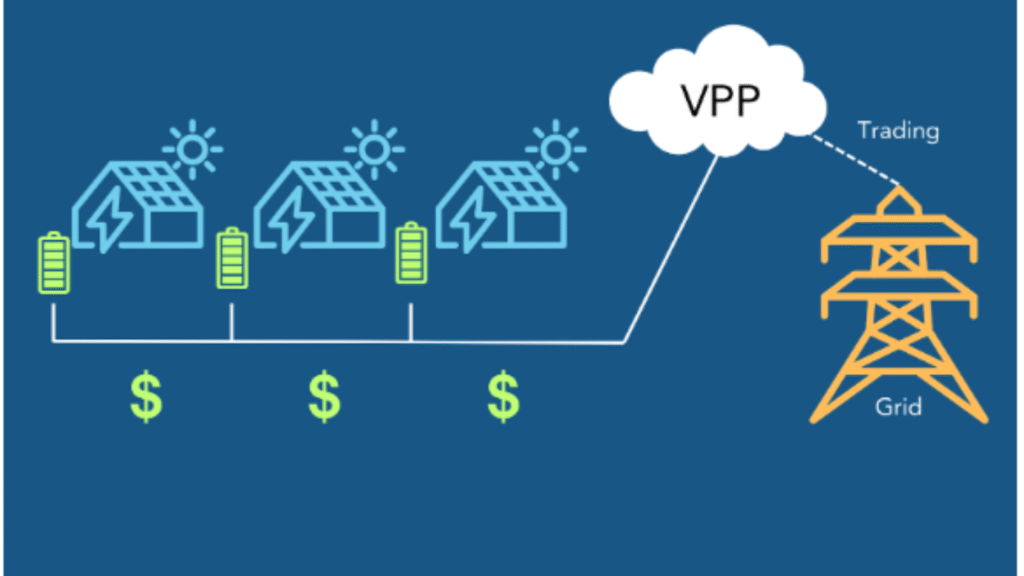
Some energy retailers run Virtual Power Plant (VPP) programs, where you allow them to draw from your battery during peak demand. In return, you’re paid — often at rates well above standard feed-in tariffs — and in some cases you’ll also get a sign-up incentive.

Image showing a diagram of a virtual power plant

This can be quite fruitful if you have surplus battery storage. When you’ve got plenty of energy left after covering your own needs, it usually doesn’t bother you if the retailer takes a small amount — especially when you’re being well compensated for it.

The risk comes when your battery is sized tightly to your usage. If the VPP draws power you were counting on for the evening, you might end up having to buy electricity back from the grid at peak rates — which can undo some of the financial benefits.

VPPs can be worth exploring if you regularly have excess stored energy, or if you’re sizing up your battery with participation in mind. For more on how these programs work, check out Amber’s SmartShift VPP.

3. Your Usage Might Increase Soon

Planning on:

  • Adding an EV charger?
  • Installing ducted air con?
  • Renting out a room?

If your household energy use is likely to grow, a slightly larger battery now might save you from having to expand later — especially with the rebate only claimable once (we’ll cover that next).

When Smaller Batteries Are a Smarter Fit

Not everyone needs the biggest battery on the block. In fact, for many homeowners, a smaller battery that’s well-matched to their usage offers better value — with fewer complications and a faster return on investment.

Client testimonial saying that her electricity bills are now in credit

Here’s when it makes sense to keep things simple.

Your Usage Is Stable

If your household isn’t changing anytime soon — no EVs, no big appliances, no new tenants — a right-sized battery based on your current usage is usually enough. There’s no need to future-proof if your future looks the same.

You’re Not Interested in VPPs

If the idea of letting your retailer tap into your battery doesn’t appeal to you, you won’t need the extra headroom that larger systems offer for energy trading. Stick with a size that covers your needs and nothing more.

You Don’t Get Blackouts (Or Don’t Care About Backup)

If your area has a stable grid and you’re not fussed about keeping the lights on during the occasional outage, a small reserve — or none at all — is fine. No need to oversize for something that rarely happens.

You Want to Maximise Savings, Not Storage

Smaller batteries generally cost less and pay for themselves sooner — especially if you’re already exporting more solar than you use at night. In that case, even a 10kWh battery could make a noticeable dent in your bill.

But there’s one thing you need to keep in mind, no matter what size you’re considering — and that’s the rebate.

You Only Get the Rebate Once — So Size Carefully

Here’s something most people don’t realise until it’s too late: the federal battery rebate can only be claimed once.

That means if you install a 10kWh battery now, and later decide you should’ve gone with a 15kWh system — you’ll be paying full price for the upgrade. No second rebate. No top-up discount.

Why This Matters

It’s easy to underestimate your usage, especially if your needs grow over time. Maybe you:

  • Start working from home
  • Buy an EV
  • Install electric heating or cooling
  • Get hit with longer blackouts

If your battery can’t keep up, you’ll be stuck either buying from the grid (at peak prices) — or paying thousands to expand your storage without any incentive help.

The Safer Play

If you’ve got strong solar exports and you think your usage might increase, it may be smarter to size up slightly now — while the rebate still applies.

For more on how the rebate works — and why it’s changing — check out our guide:
Government Energy Rebates Drop in December 2025: Complete Guide

Final Checklist: How to Choose a Battery Size That Works for You

Still weighing up your options? Here’s a straightforward checklist to help you make sense of the numbers — and feel confident about your decision.

Do You Already Have Solar?

Yes:
→ Check your bill for both average daily usage and average daily export.
→ A healthy export number on its own doesn’t guarantee you can charge a battery — you need to compare it against your usage patterns.
→ Use the calculation we covered earlier: your battery size should not exceed your average daily export. If your export is less than the battery capacity you’re considering, it won’t fill consistently, especially in winter.
→ If exports are low compared to usage, adding more panels before storage will usually give you a better return.

No:
→ Start with your average daily usage from your bill.
→ Apply the 50–75% rule of thumb to estimate battery size, depending on how much of your usage happens at night.
→ Make sure your planned solar system is big enough to power your home and charge your battery, using the solar sizing formula from Section 2.

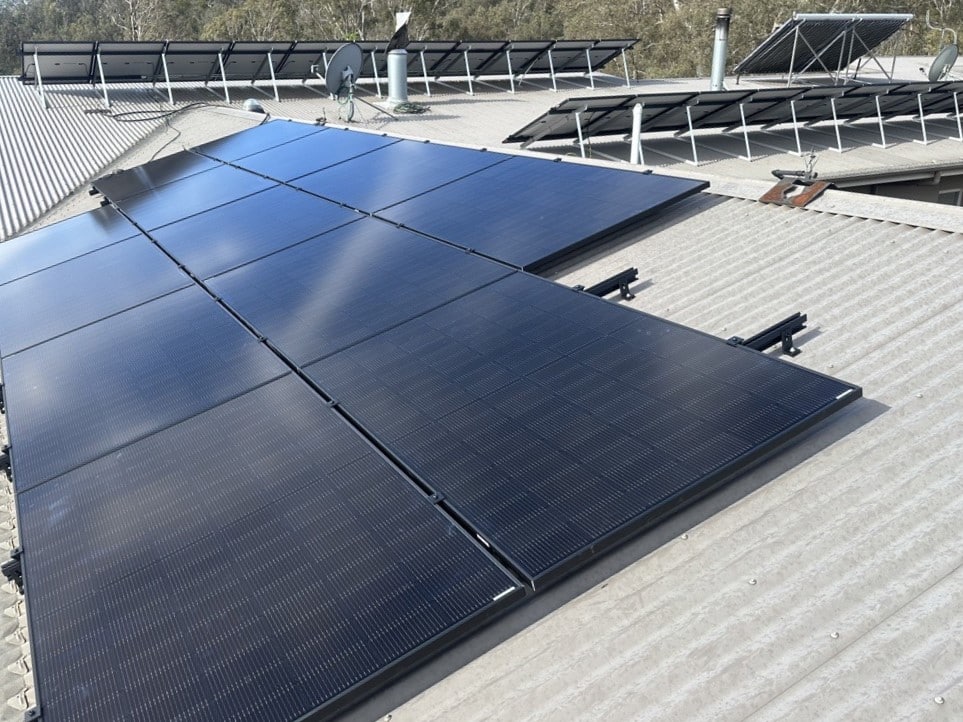
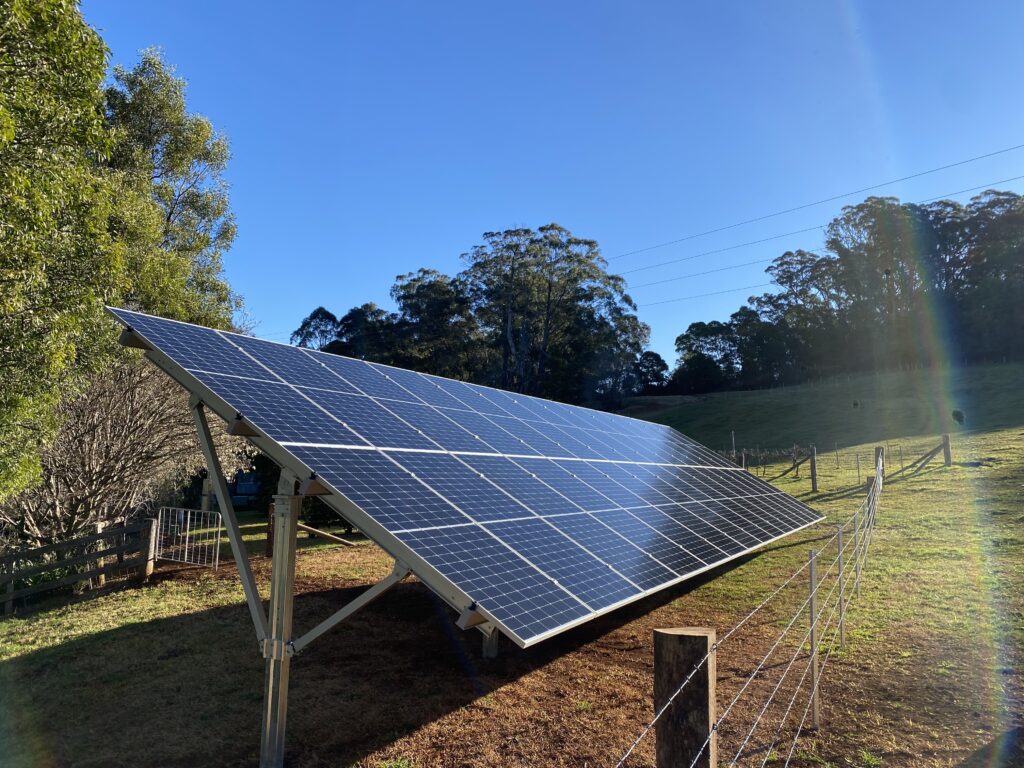
solar panels installed by Lenergy on roof with ample sun in the Southern Highlands

What’s Your Lifestyle Like?

  • Home during the day?
    → You might not need a big battery — your solar already covers daytime usage.
  • Out all day, home at night?
    → A larger battery may suit you better — more of your usage happens after sunset.

Do You Want Backup Power?

  • Frequent blackouts or medical needs?
    → Go bigger and set a higher reserve level. (look for something with full home back-up like Sigenergy)
  • Reliable grid and no outage concerns?
    → Smaller battery with minimal reserve may be fine.

Are You Joining a VPP?

  • Yes:
    → Consider oversizing slightly to avoid running short during energy sharing events.
  • No:
    → You can stick with a tighter match to your usage.
Are You Expecting Higher Usage in Future?

  • New appliances, EV, extra rooms or tenants?
    → Plan for it now — remember the rebate is one-time only.

Still Not Sure?

Start with your bill. Talk to your installer. And don’t feel pressured to go bigger just because. The right battery size is the one that matches your needs, fits your budget, and makes the most of the solar you already have — or plan to install.

Lenergy award for winning business of the year

I Have Solar — Why Am I Still Getting an Electricity Bill?

Still getting an electricity bill with solar? You’re not the only one. You’ve got panels on the roof, the sun’s doing its job — but then your power bill shows up, and it’s still hundreds of dollars. It’s frustrating, confusing, and honestly, it makes you wonder what went wrong.

This is one of the most common pain points among Australian homeowners with solar systems. The assumption is: install solar, and your power bill should vanish — or at least shrink to nothing. So when it doesn’t, it feels like something must be broken.

And sometimes, something is broken. But in most cases, it comes down to how and when you’re using your power — and what solar actually covers (and doesn’t).

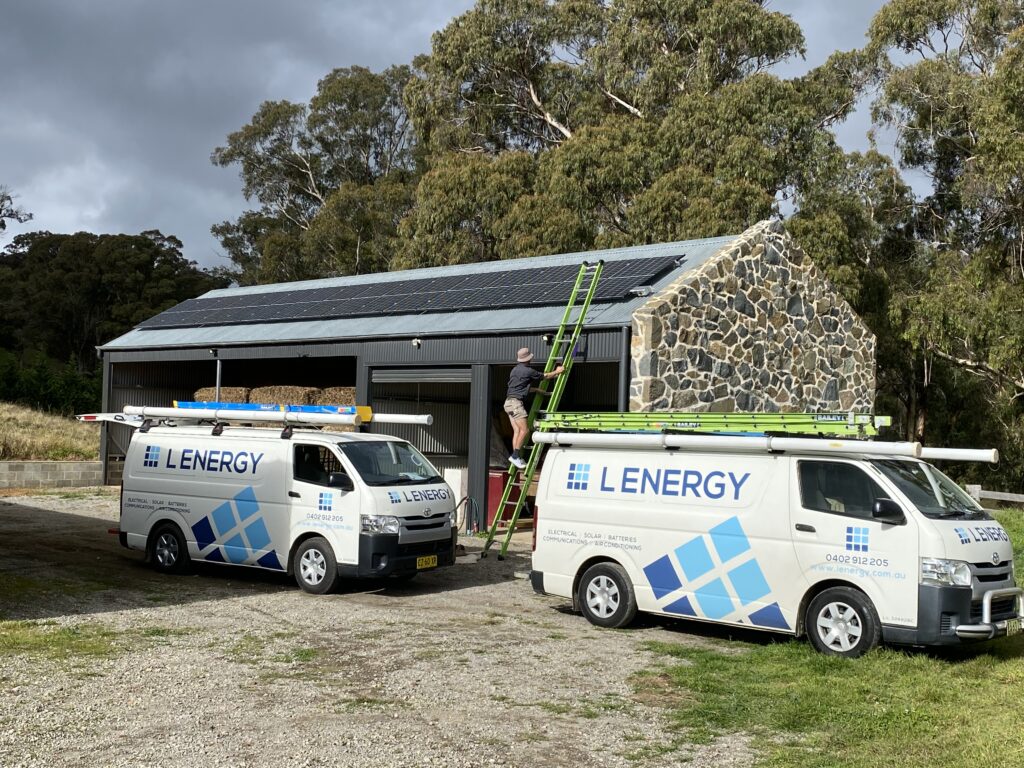
At Lenergy, we see this every day. Our job isn’t just to install solar — it’s to help you make it work for your home, your habits, and your bill. And part of that is giving you the real reasons your solar might not be wiping out your energy costs — and what you can do about it.

Lenergy team photo located at their warehouse in the Southern Highlands

In this article, you’ll learn:

Let’s unpack what your electricity bill is actually telling you — and how your solar system fits into it.

Why You’re Still Getting a Bill After Going Solar

It’s completely normal — and actually expected — to keep receiving an electricity bill even after installing solar. In most cases, solar doesn’t wipe your bill entirely. However, that doesn’t mean it’s not working. It just means you might not be using it the way you thought.

Here’s why:

Your Home Still Draws Power From the Grid

Unless you have a battery, your solar system only powers your home while the sun is out. At night — or during cloudy stretches — you rely on the grid to supply your power. That’s when you’re charged your normal usage rate (usually $0.25–$0.40 per kWh depending on your plan).

Even if your panels produce more than you use during the day, that energy doesn’t carry over into the night — it’s either used instantly or exported to the grid.

Supply Charges Still Apply

There’s a daily “service to property” fee just for being connected to the grid. In the bill example we’ll walk through shortly, this charge was $1.30 per day, adding up to $118.30 over 91 days — even if no power was drawn. This is standard across Australia and non-negotiable unless you go entirely off-grid (which isn’t practical for most homes).

Feed-in Tariffs Aren’t Equal to What You Pay

When your solar system exports power to the grid, you earn a feed-in tariff (FiT). Here’s the catch though — it’s typically less than half of what you pay to use grid power.

If you’re paying $0.30 per kWh to import energy and only earning $0.07 per kWh to export it, then every unit of power you don’t use during the day is worth a lot less than one you do use.

That’s why self-consumption matters more than export.

Bill Was Zero — But Now I’m Paying. Why?

If you’ve had solar for a while, you might remember the days when your electricity bill was $0 — or even in credit. That’s not your imagination.

When feed-in tariffs were at their peak (up to 60 cents per kilowatt-hour – this was the golden error), exporting solar power was incredibly valuable. Homes didn’t need a battery because daytime generation alone was enough to cancel out the cost of night-time grid usage — and even cover the supply charge.

However things have changed. Most households today only get 3 to 7 cents per kilowatt-hour for exported power. Some retailers now offer no credits at all. At those rates, it’s far harder for solar alone to cancel out your full electricity bill.

Add in increased household energy use, and it’s no surprise that bills have crept back up — even with solar on your roof.

Bills Can Still Be High — Even With a Functional System

If you’re using more energy now than before (which is common after installing solar), or if your energy use is mostly after sunset, then your solar savings won’t show up on your bill the way you expected.

In the next section, we’ll break down what solar actually covers, how to read your bill properly, and why the timing of your energy use can make or break your savings.

What Solar Covers — and What It Doesn’t

Solar panels generate electricity when the sun is out. That electricity flows into your home and is used instantly. Any power you don’t use at the time it’s generated is sent back to the grid — unless you have a battery to store it.

Diagram made by Lenergy explaining how solar works in conjunction with the grid

That’s the part many solar owners aren’t told upfront: your system is only powering your home during daylight hours. Everything outside those hours still comes from the grid — and that’s reflected in your bill.

Let’s break it down in simple terms:

What Your Solar System Does Cover

  • Your daytime energy usage (as long as your system is producing enough)
  • Any surplus solar is exported to the grid — earning you a credit via the feed-in tariff

What Your Solar System Doesn’t Cover

  • Power used before sunrise or after sunset (unless you have a battery)
  • Daily supply charge to stay connected to the grid
  • Controlled load circuits (e.g. off-peak hot water systems), unless they’re rewired to draw from solar
  • Any extra usage that exceeds what your panels generate

Let’s Look at a Real Example

Take this electricity bill from a home that already has solar installed. Over 91 days, here’s what we see:

  • Average daily usage: 13.75 kWh
  • Average daily solar export: 11.7 kWh
  • Feed-in tariff earned: $-0.07 per kWh = $-74.55 credit
  • Electricity drawn from grid (anytime): 753 kWh at $0.288 = $216.86
  • Service to property charge: $1.30/day = $118.30
  • Total bill: $403.69

So what’s happening here?

This household is generating more solar than they’re using during the day — hence the large export figure. But the fact that their usage (13.75 kWh/day) is slightly higher than their export (11.7 kWh/day) means a large portion of their usage is occurring at night — when solar isn’t available, and grid power is the only option.

In short: their solar is working, however their usage patterns don’t align with the sun. And without a battery to store the excess energy, it’s being sold back to the grid at a low rate, and repurchased later at a much higher rate. To calculate the battery size we would take the lesser of the two values, in this case 11.7kWh which is the storage amount that would be required.

Three Common Reasons Solar Bills Stay High

If your solar system has been sized correctly, installed and generating electricity — but your bills are still higher than expected — the issue usually comes down to one (or more) of the following three factors.

1. You’re Using Most of Your Power at Night

This is the big one. If you’re out during the day and only start using appliances heavily in the evening — think cooking, heating/cooling, TVs, laundry — you’re relying on the grid when your solar isn’t generating. Read More about Peak Electricity Times in our recent blog here.

In this case, your solar is working. It’s just not being used when it’s available. Instead, it’s being exported to the grid at a low feed-in tariff (around 5–10 cents per kWh), while you’re buying back power in the evening at 30–40 cents per kWh.

This is why “self-consumption” is so important — using your solar energy while it’s being produced.

Simple fix: Try running your dishwasher, washing machine, and pool pump during the day if possible. Even small shifts in usage can make a big difference.

2. You’re Using More Electricity Than You Used To

Some households increase their energy use after getting solar — thinking the system will cover everything. It’s an easy assumption to make, but it can lead to bill shock.

Here’s the reality: if your solar system was designed to cover your old usage patterns — and you suddenly double your air con use or add a second fridge, or worse.. A spa (they suck the juice!) — you might end up consuming more than your panels can generate.

3. Your System Isn’t Performing As It Should

It doesn’t happen often, but sometimes your solar system might not be working properly. It could be an underperforming inverter, shading issues, a blown fuse, or even a tripped switch you didn’t notice.

A healthy system should come with performance monitoring — either through the inverter manufacturer’s app or a third-party platform. If you’re not sure how to check, reach out to your installer. They should be happy to review it and run a basic health check.

Tip: If you’re exporting very little solar or your feed-in credits have dropped suddenly, it’s worth checking.

Can You Reduce Your Bill Without Buying Anything New?

Yes — and in many cases, these small adjustments are the most cost-effective way to improve your solar savings. Before investing in more panels or a battery, it’s worth asking: are you getting the most out of the system you already have?

Here are a few simple, no-cost ways to do just that:

Shift Your Energy Use to Daylight Hours

This is the single biggest thing you can do to improve your solar ROI. The more energy you use while the sun’s out, the more you offset grid electricity.

Think about appliances you can run during the day:

  • Dishwasher on a delay cycle
  • Washing machine or dryer when the sun’s at its peak
  • Pool pump set to run from 10am–4pm
  • Charge your devices during the day instead of overnight

Even heating or cooling your home during daylight hours — before the evening peak — can help reduce your reliance on the grid. Find more easy, practical ways to reduce your electricity bill in our recent blog here.

Check and Compare Your Energy Plan

Not all electricity plans treat solar the same. Feed-in tariffs, time-of-use pricing, and supply charges can vary significantly. Some retailers now offer “solar-friendly” plans — others penalise you with low FiTs or inflexible conditions.

Ask yourself:

  • Are you getting the best rate for your solar exports?
  • Could a time-of-use plan benefit you if you shift usage?
  • Are there any “free electricity” windows you can take advantage of?

To see how your current deal compares, check out our guide to the best energy providers in NSW for 2025. It includes side-by-side comparisons of feed-in tariffs, rates, and solar-friendly features.

Providers like Amber, OVO, Pacific Blue and (recently) AGL offer limited-time plans with cheaper or even free off-peak power — which becomes important if you’re considering grid charging a battery (more on that shortly).

Monitor Your System’s Performance

Many people don’t realise they can check how their solar is performing in real time. Whether it’s through a smart meter, inverter app, or electricity retailer portal — you should be able to see:

  • How much energy your system is producing
  • How much you’re using in the home
  • How much you’re exporting
AI powered home battery - Sigenergy

If you don’t have access to this data, it’s worth asking your installer for help — or using it as a reason to upgrade your monitoring tech.

 Option 2: Charge the Battery From the Grid (Yes, Really)

This sounds counterintuitive — but with the right plan, it can work.

Some retailers (like Amber, Pacific Blue, OVO, and AGL) now offer time windows of free or ultra-cheap electricity, typically during off-peak or “shoulder” periods. If you pair that with a smart battery setup and a 10 kW inverter, you can force-charge your battery from the grid during those hours.

For example:

  • 3 hours of “free power”
  • 10 kW inverter x 3 hours = 30 kWh

That’s enough to fully charge a 30 kWh battery — without needing to add more panels.

But how can electricity be free?

Because during certain times of the day — particularly when there’s excess renewable generation (like sunny, windy afternoons) — the wholesale cost of electricity actually drops below zero. That means energy companies are literally paying the grid to take their power.

Retailers offering “free power” plans aren’t losing money — in fact, they’re profiting from giving it to you at no cost.

So when your battery charges during those hours, you’re helping soak up excess energy on the grid — and your retailer is getting paid to make it happen.

Sounds ideal, right? It is — but there’s a catch. These plans aren’t guaranteed to stick around forever. Retailers can change their offers, remove benefits, or shift pricing structures.

If that happens, you may wish you had more solar panels to keep your battery topped up — or you may find a new retailer offering similar benefits.

Do I Need More Solar Panels — or Is It Time for a Battery?

To figure out what’s best — more panels or a battery — let’s revisit the two scenarios already explored in this article.

Scenario 1: You’re Already Exporting Solar

In our real bill example, the homeowner used 13.75 kWh per day and exported 11.7 kWh. That tells us they’re using most of their power at night.

So what happens if they add more solar?

They’ll just export more — earning 3–7 cents per kWh — instead of reducing the 30–40 cent grid power they use overnight. It’s not worth it.

Adding a battery makes more sense here. That 11.7 kWh of excess solar could be stored and used at night, cutting out most of their general usage costs.

Scenario 2: You Use More Than You Export

Now let’s say someone uses 30 kWh per day, but only exports 10 kWh.

If they add a battery, they can only fill it with the 10 kWh they’re exporting. So a big battery won’t charge fully — and the return on investment will be limited.

Adding more solar here? Same story. Without storage, they’re still exporting low and buying high. No blackout protection, no real night-time offset.

So What’s the Right Move?

  • If you’re already exporting a lot, get a battery. You’re better off storing what you’ve got than selling it for a few cents.
  • If you’re using more than you generate, and want real bill impact or blackout cover, you may need both more solar and a battery.

So what should you do? That’s up to you. The safest bet is often more panels — but if space or budget is tight, a large battery that can charge from the grid during low-cost or free periods could be your best move.

When to Investigate a System Issue

Sometimes, everything you’ve read so far checks out — your usage patterns make sense, your solar generation seems reasonable, and your bill still doesn’t add up. That’s when it’s time to dig a little deeper.

While most systems run smoothly, it’s not uncommon for performance to slip without any obvious signs. A faulty inverter, blown fuse, shading changes, or even something as simple as a tripped circuit breaker can quietly undermine your solar savings.

Here’s how to know when it’s time to act — and what to do about it.

Signs Your System Might Not Be Performing Properly

  • Your solar export credit has dropped significantly from previous bills
  • Your system is generating far less than it used to (especially in sunny months)
  • You’ve noticed your inverter screen is off, flashing an error, or showing no output
  • You’re exporting very little despite sunny weather

What to Check First

  1. Look at your solar app or monitoring portal. Most modern inverters (like Fronius, Sungrow, Enphase, etc.) offer apps or web dashboards that show your real-time and historical solar production.
  2. Compare to previous bills. If your export or usage data looks way off from last quarter or last summer, that’s a red flag.
  3. Check your switchboard. Sometimes, a solar breaker can trip — especially after a storm or grid outage. If you’re comfortable and know what to look for, a quick check here can sometimes resolve the issue.
  4. Check the inverter itself. A healthy inverter usually has a green light or clear display. If it’s flashing red or shows an error code, take a photo of the screen and contact your installer.

When to Contact Your Installer

If you’ve tried the above and something still doesn’t look right — call your original installer (or another trusted solar professional if they’re unavailable). They can:

  • Run a system check
  • Analyse your solar production data
  • Test your inverter and panel performance
  • Help you assess if upgrades (like more panels or a battery) are worth considering

And yes — if your system is under warranty, this visit should be free or low-cost. A reputable solar provider will be more than happy to help.

Final Thoughts — Solar Isn’t Broken, But It Might Need Adjusting

If you’ve read this far, you now know that getting a power bill after installing solar isn’t a sign something’s failed — it’s a sign that something needs adjusting.

That might be your habits, your system design, or even your expectations.

Solar is still one of the smartest long-term investments a household can make — but like any investment, the return depends on how well it’s set up and how you use it.

Here’s what to take away:

  • It’s normal to still receive a bill — especially if you’re using more energy than your solar produces, or using it outside of daylight hours.
  • Not all usage is equal. Shifting energy use to the middle of the day gives you more bang for your solar buck.
  • Batteries can help — if you’ve got the solar generation to charge them. If you don’t, adding more panels (or smart charging from the grid) could be the missing piece.
  • You don’t need to rush out and spend more. But understanding your usage patterns and your system’s performance is a good first step.
  • You can only fix what you can see. So check your bill, check your system, and get advice when something doesn’t add up.

And if you ever find yourself looking at a power bill thinking, “Why is this still so high?” — now you’ve got a framework to figure it out.

If you’ve got solar and want help investigating your electricity bill or exploring your options — whether it’s shifting usage, checking system health, or weighing up a battery — feel free to reach out. We’re here to help you make the most of your setup.

The team at Lenergy receiving a local business award in the Southern Highlands for Business of the Year,

Government Energy Rebates Drop in December 2025: Complete Guide to Claim Before Deadline

What’s Happening to the Government Energy Rebates in December 2025?

Two key rebate changes are happening at the end of 2025:

1. The Federal Solar Rebate (STCs) is Decreasing on 1 January 2026
The solar rebate most Australians claim — based on Small-scale Technology Certificates (STCs) — drops in value every year until it phases out in 2030. The number of STCs you receive is tied to when your system is installed and signed off. Install after 31 December 2025, and you’ll receive fewer certificates for the exact same system.

The STCs are usually traded for a dollar value (currently around $35–$40 each), which comes off the upfront price of your system. Fewer certificates means a smaller discount.

2. A New Battery Rebate Is Starting Mid-2025 — But It Also Has a Timeline
From July 2025, battery installations in Australia will also start generating STCs — meaning eligible battery systems will now attract a federal rebate, similar to solar panels. This is good news, but the rebate will also reduce every year (just like the solar scheme). The sooner you install, the more you can claim.

These changes mean December 2025 is a key cut-off point for locking in the highest available federal incentives — for both solar and battery systems.

How Much You’ll Lose if You Wait Until 2026

If you install your solar system in January 2026 instead of December 2025, you’ll qualify for fewer STCs — and that means a smaller rebate.

Here’s a simplified example using a typical 6.6 kW solar system in Sydney:

Install DateEstimated STCsRebate Value @ $37/STC
December 202592$3,404
January 202684$3,108

Difference: $296 less just by delaying a few weeks.

With a 10 kW system, the drop is even larger — closer to $450–$500 in lost rebate value.

And while the new battery rebate begins in July 2025, it will also follow a phasedown model. So, early adopters who install before the end of 2025 are likely to get the best possible return.

In short: Waiting until next year could cost you hundreds.

What You Need to Do Before the Deadline

To lock in the full 2025 rebate, your system doesn’t just need to be booked — it needs to be installed and signed off by 31 December 2025.

That sign-off comes in the form of a Certificate of Compliance (COC) or equivalent documentation, depending on your state. This confirms the system was physically completed and meets all safety and regulatory requirements.

Here’s what you should do:

  • Start your quote process now: The closer we get to December, the harder it is to secure installation dates.
  • Choose a Clean Energy Council–approved installer: Only accredited systems qualify for STCs.
  • Confirm your installer understands the rebate deadline: The rebate value is based on when your system is commissioned, not just when it’s ordered.
  • Allow for delays: Weather, supply issues, or grid approvals can push timelines out — aim to finish well before mid-December if possible.

And if you’re planning to install both solar and battery? It’s worth speaking to your installer about how to time the install so you maximise both rebates — especially if you’re eligible for the new battery STCs from July 2025 onward.

Lenergy office staff at office located in Moss Vale, NSW

Is It Still Worth Installing Solar or Batteries After December?

Yes — but you’ll need to reset your expectations slightly.

Even after the rebate drops in January 2026, solar still delivers strong savings over time. A smaller rebate doesn’t erase the benefits of lower power bills, energy independence, and protection from rising electricity prices. It just means your payback period might be slightly longer.

The same applies to batteries. While the best value comes early in the new rebate cycle, batteries remain a solid long-term investment — especially if you:

  • Use a lot of power in the evening
  • Want blackout protection
  • Are planning to join a Virtual Power Plant (VPP)
  • Want to make the most of solar self-consumption

If you can’t install before the deadline, don’t panic. You’ll still access some rebate support — just less than if you had acted sooner. It’s still a worthwhile investment, especially if the system is sized right and tailored to your usage.
Common Questions About the Rebate Changes

Do I still qualify for the solar rebate in 2026?
Yes, the federal solar rebate (STC scheme) continues until 2030. But the number of certificates you receive — and the rebate value — drops each year on 1 January.

What if my install is delayed past December?
If your system isn’t installed and signed off by 31 December 2025, your rebate will be calculated based on the 2026 deeming period. It’s not a total loss — just a smaller benefit.

Can I combine the solar and battery rebates?
Yes. If you install a battery from July 2025 onward, and it meets the eligibility criteria, you’ll get additional STCs for that battery on top of your solar rebate. The two rebates run under the same federal program but apply to different system components.

What if I only want a battery?
From mid-2025, batteries installed on their own (with or without new solar) will qualify for STCs — so yes, you can claim a rebate on battery-only installs, provided the system meets the program requirements.

Will rebates keep decreasing every year?
Yes. Unless the government changes policy, both the solar and battery STC rebates will step down annually until they phase out entirely in 2030.

If you’re planning to install solar or a battery system, timing matters.

The Federal solar rebate is already set to decrease from 1 January 2026 — and the new battery rebate launching mid-2025 will follow the same annual phase-down. By acting before December ends, you could save hundreds more than if you wait just a few weeks longer.

This doesn’t mean you should rush into the wrong system. But it does mean that if solar or battery storage is on your radar, now’s the time to ask the right questions, compare your options, and get the ball rolling before installation calendars fill up.

Knowledge is power — and in this case, it’s also money back in your pocket. Get in touch with our friendly team to discuss your solar and battery options

Sigenergy vs ESY Batteries: 2025 Price & Performance Review

Not every home needs the “best” battery on the market. Some just need one that fits the power bill — and the budget.

If you’ve been tossing up between Sigenergy’s premium SigenStor and the more affordable ESY Sunhome, you’re not alone. They’re two of the most talked-about batteries in Australia right now, and for good reason — they’re both modular, and both stack neatly to give you serious energy storage.

But here’s the thing: they’re not built for the same buyer. Sigenergy offers cutting-edge flexibility, full-home three-phase backup, and even EV-to-grid capability. ESY? It skips the bells and whistles for a lower price point and faster payback — however, comes with a few real limitations you need to know about.

At Lenergy, we’ve installed both — and we’ve seen exactly where each battery shines (and where it doesn’t).

In this guide, you’ll get a clear, side-by-side breakdown of Sigenergy vs ESY — from specs and performance to VPP compatibility, pricing, and who each battery is actually right for in 2025.

Sigenergy vs ESY at a Glance

If you’re deciding between Sigenergy and ESY, here’s the bottom line:

  • Sigenergy is the smarter, stronger, future-ready system. It suits high-usage homes that want full control, full backup, and full flexibility.
  • ESY is the affordable alternative. It’s best for smaller households with single-phase power, modest daily usage, and no need for whole-home backup or EV features.
battery comparison between sigenergy vs ESY. Externally mounted on 2 different homes

Here’s a quick visual breakdown:

FeatureSigenergyESY
Modular DesignStackable up to 48kWhStackable up to 30.72kWh
Hybrid InverterBuilt-in, 1P or 3P6kW, single-phase only
Max PV Input16kW+ supported8kW limit
EV ChargingAC + DC (V2G ready)Not supported
VPP CompatibilityEligible (with rebate in NSW)Limited (not yet approved)
Climate PerformanceHeated batteryHeated battery
Best ForLarge, complex or high-usage homesSmaller homes <27kWh/day
PricePremiumBudget-friendly

In short:

  • Choose Sigenergy if you want the best tech and flexibility.
  • Choose ESY if you want a fast payback and don’t need advanced features.

ESY Sunhome Battery Review

If you want a battery that simply stores your solar and saves you money — without all the extras — the ESY Sunhome makes a strong case in 2025.

It’s a modular lithium iron phosphate (LFP) system that stacks in 5.12 kWh blocks, allowing up to 30.72 kWh of storage. It includes a 6kW hybrid inverter and is designed for single-phase homes. That alone makes it a good fit for average Aussie households — especially if your power usage is under 27kWh/day.

Explore the ESY Sunhome Battery

Key Strengths

  • Affordability – One of the most cost-effective stackable batteries in Australia
  • Simple integration – Works well with smaller solar setups
  • Heated battery modules – Reliable even in cooler climates
  • Modular build – Scale from 5.12kWh to 30.72kWh

Limitations

  • Single-phase only – Not suitable for large homes needing three-phase backup
  • 8kW PV limit – Can restrict solar generation on larger rooftops
  • No EV charging – Not futureproofed for vehicle-to-grid
  • VPP still pending – Limited eligibility for rebates in NSW (at time of writing)

Verdict

If you’re not chasing whole-home backup or cutting-edge tech — and you just want a battery that works, saves money, and pays back fast — ESY is a great option. However, if you need something more powerful or flexible, its limitations may show.

Sigenergy SigenStor Battery Review

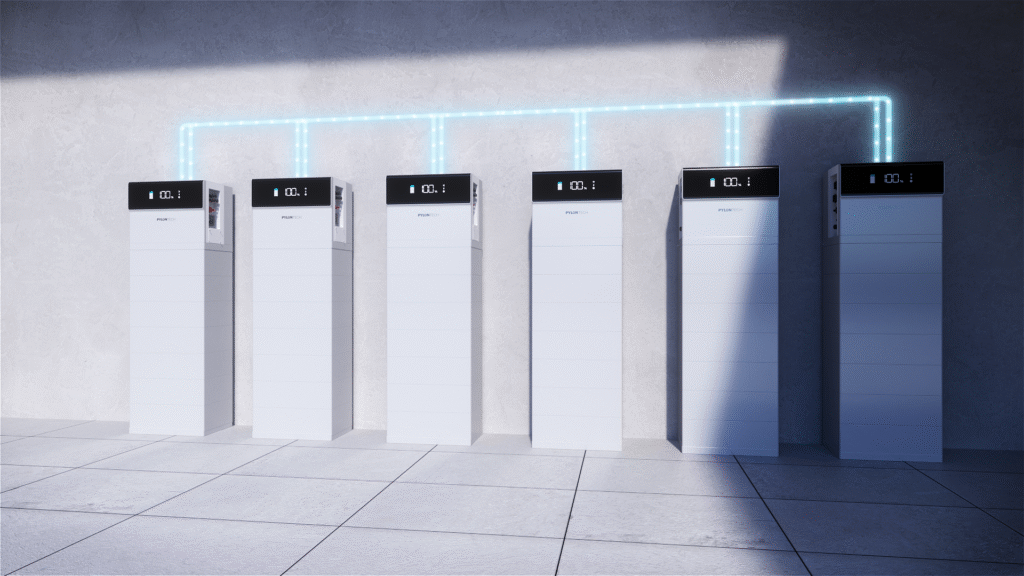
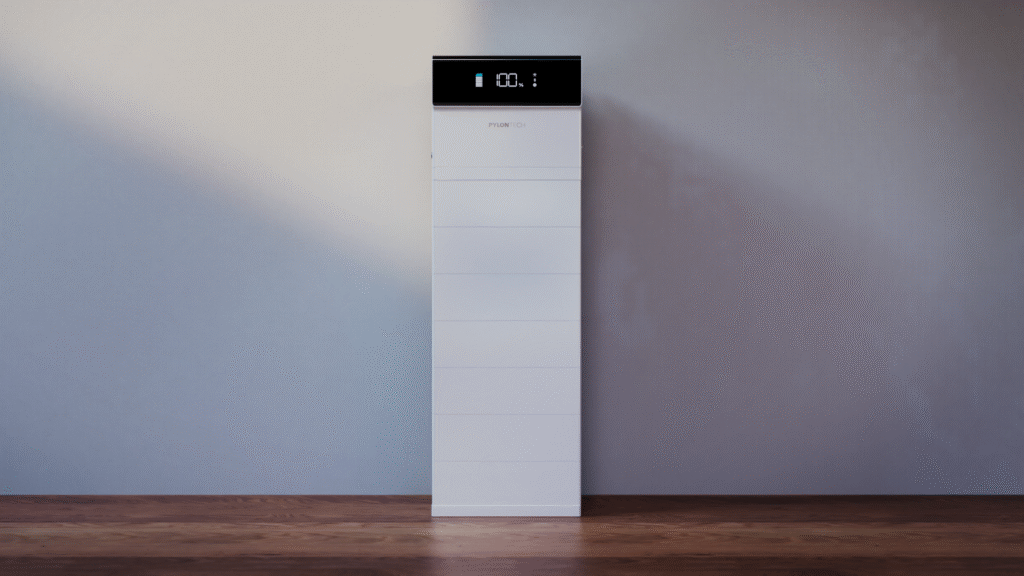
Sigenergy’s SigenStor is what happens when a battery system is built for flexibility from the ground up. It’s modular, scalable, and comes with a built-in hybrid inverter that supports both single-phase and three-phase homes — a rare feature in 2025.

Each stackable module is either 5kWh or 8kWh, and you can go up to 48kWh per tower. It’s also one of the only batteries on the market with AC and DC EV charging, including support for vehicle-to-grid and vehicle-to-home. In short, if you’re building a future-ready home energy system, Sigenergy is hard to beat.

View the Sigenergy SigenStor Battery

Key Strengths

  • All-in-one stackable tower — battery + inverter + optional EV charger
  • 3-phase compatible — suits large homes and blackout protection
  • Heated modules — ideal for cooler climates
  • Smart monitoring — AI-powered energy optimisation via the mySigen app
  • Up to 48kWh per tower — with parallel stacking for even more
  • DC EV charging with V2G — futureproofed for emerging tech

Tech Snapshot

  • Efficiency: 96% round-trip
  • Operating Temp: –30 °C to 50 °C
  • IP66 rating for weather protection
  • Warranty: 10 years or 6,000+ cycles

Perfect For

  • Large homes or those with complex energy needs
  • Buyers who want smart energy management and automation
  • Anyone wanting to participate in a VPP or claim full NSW battery rebates
  • EV owners planning for V2H or V2G capability

Considerations

  • Premium price point
  • Requires Wi-Fi or optional 4G dongle for monitoring
  • Overkill for small, single-phase homes with low usage

Verdict

Sigenergy is the better battery — hands down — if your budget allows for it. It’s built for flexibility, smart energy control, and full backup. However, if you don’t need those things, you might be paying for features you won’t use. At Lenergy, we strongly support Sigenergy for the right home or business.

Lenergy team at the 2025 Sigenergy Conference

Side-by-Side Specs & Features Comparison

Here’s how Sigenergy and ESY stack up when you line up the technical details — from capacity and inverter size to backup support and EV readiness.

FeatureSigenergy SigenStorESY Sunhome
Battery ChemistryLFP (LiFePO₄)LFP (LiFePO₄)
Module Size5kWh or 8kWh5.12kWh
Max Storage per Stack48kWh30.72kWh
Hybrid InverterBuilt-in, 1P or 3PBuilt-in, 6kW single-phase
Max PV Input16kW+8kW
Efficiency96% round-trip~90–93%
Backup SupportFull-home, 3-phase capablePartial circuits only
EV ChargingAC + DC (V2G ready)Not available
Smart App/MonitoringYes (AI-optimised via mySigen)Basic monitoring
Temperature Range–30°C to 50°C–25°C to 60°C
Ingress ProtectionIP66IP66
Noise<25 dB≤25 dB
Warranty10 years / 6,000+ cycles10 years / ≥6,000 cycles

What Stands Out

  • Sigenergy supports large and complex installs, advanced automation, and VPP/V2G compatibility.
  • ESY offers simplicity and affordability, but limits you to small-scale, single-phase installs — no three-phase, no EV, no VPP rebates (yet).

Performance, Backup & VPP Compatibility

When it comes to how your battery actually performs day-to-day — during blackouts, in a VPP, or through the changing Australian seasons — the differences between Sigenergy and ESY become more obvious.

Blackout Performance

  • Sigenergy offers full-home blackout protection, even in three-phase homes. That means you can keep everything from fridges and lights to air con and hot water running during an outage — assuming your battery is sized correctly.
  • ESY, on the other hand, can only support partial backup via single-phase. Typically, this means just essential loads like lights or your fridge — not the whole home.

VPP Compatibility

  • Sigenergy is fully VPP-ready and eligible for the NSW battery rebate bonus when enrolled in a supported Virtual Power Plant program.
  • ESY currently has limited VPP integration, with compatibility issues still being worked through with providers like Amber and Origin. That means no VPP cash-back at the time of writing.

Climate Performance

Both systems are strong performers in extreme temperatures thanks to heated battery modules — an important tick for anyone in cooler climates like Canberra or regional NSW. This feature ensures reliable charging even on freezing winter mornings.

Monitoring & Smart Energy Control

  • Sigenergy offers AI-optimised energy use, automatic tariff shifting, and highly customisable settings via the mySigen app.
  • ESY includes a basic monitoring app that shows charge levels and usage, but doesn’t offer the same depth of control or automation.
AI powered home battery - Sigenergy

Price & Payback: Which Offers Better Value?

When it comes to value, ESY wins on upfront cost — but Sigenergy often wins long-term if you need more capacity, better backup, or want to take full advantage of VPPs and EV charging.

Typical Installed Prices (Before Rebates)

SystemCapacityApprox. Installed Price
Sigenergy10kWh$14,000–$15,500
ESY10.24kWh$9,000–$10,500

Add extras to Sigenergy (like EV charging or 4G dongle) and the gap widens further. However, rebates can help narrow that difference.

Rebate Eligibility

RebateSigenergyESY
Federal Battery RebateEligibleEligible
NSW VPP RebateEligibleNot currently supported

So while both can access the Federal rebate, only Sigenergy gets the extra NSW VPP incentive (up to $1,500 depending on battery size). That can bring the price of Sigenergy close to ESY — especially on larger setups.

Payback Period

  • ESY typically pays back faster — especially for homes using under 27kWh/day and not needing whole-home backup.
  • Sigenergy’s ROI is longer, but can be shortened by participating in VPPs, avoiding blackout stress, and using advanced features like tariff shifting and EV charging.

Summary

  • Small usage, low budget? ESY is unbeatable on payback.
  • Bigger usage, VPP goals, or futureproofing? Sigenergy earns its price over time.

Which Battery Should You Choose?

Both Sigenergy and ESY are great batteries — but they’re built for different households.

Here’s a quick guide to help you decide:

Choose Sigenergy if:

  • You want full-home blackout protection, including three-phase
  • You plan to join a VPP and access extra NSW rebates
  • You want smart energy features, AI optimisation, and detailed control
  • You’re installing a larger system or want EV charging
  • You’re happy to invest more upfront for a longer-term return

Learn more about Sigenergy SigenStor

Choose ESY if:

  • Your daily usage is under 27kWh
  • You don’t need three-phase or whole-home backup
  • You want a stackable, affordable battery that pays back faster
  • You’re looking for a simple system that integrates with most single-phase homes
  • You’re not fussed about VPPs or EV integration (yet)

Learn more about ESY Sunhome Battery

Sigenergy is the better battery on paper — smarter, stronger, and more flexible. But if you don’t need everything it offers, ESY might be the better choice for your wallet.

Still unsure? Speak to a trusted installer like Lenergy who knows your home, usage patterns, and rebate eligibility. That’s where real value starts.

The team at Lenergy receiving a local business award in the Southern Highlands for Business of the Year,

Best Energy Providers NSW 2025: Compare Rates & Plans

Choosing the Best Electricity Provider (Without Getting Ripped Off)

Picking the right electricity provider in Australia isn’t as simple as looking at a flashy rate or a juicy feed-in tariff (FiT). There’s a lot of smoke and mirrors. And what works for your neighbour might not work for you.

At Lenergy, we help Australian homeowners navigate solar, storage, and energy decisions every day — and one of the most common questions we get is: “Who is the best energy provider?.”

In this article, you’ll learn exactly what to compare, how to avoid the common traps, which tools to trust, and how to haggle like a pro. You’ll also see why no one provider is “the best” — and what your options are if you’re just unsure where to start.

Why Picking an Electricity Provider Can Feel Confusing

If you’ve ever tried to compare electricity providers, you’ve probably ended up with 15 tabs open and a headache. Every provider claims to have the “best deal,” but they all structure their plans differently — and most of them bury the real cost behind discounts, daily supply charges, or sneaky peak rates.

One offers a high feed-in tariff (FiT), but their daily supply charge is through the roof. Another gives you “pay on time” discounts — until they quietly remove them a year later.  Then you have to look at fixed vs variable rates, controlled load, general usage, off-peak, shoulder… it’s enough to make you give up and stay put.

That’s exactly what the retailers are banking on.

They don’t reward loyalty — quite the opposite. It’s often cheaper for them to offer flashy sign-up deals to new customers and quietly increase rates on long-time ones. As a result, staying with the same provider year after year can mean you’re paying more than your neighbour… for the exact same electricity.

The bottom line? There’s no one-size-fits-all plan. And unless you understand what to look for — and where providers tend to hide the true cost — it’s easy to get locked into a deal that looks good on paper but hurts in practice.

What You Actually Need to Compare (Not Just Feed-in Tariffs)

A lot of energy retailers love to hook you with one shiny number: the feed-in tariff (FiT). It’s the amount you get paid for exporting excess solar back to the grid. 

However, the average FiT in Australia is only 3-7 cents per kWh. So if a provider is waving around a 12c or 15c FiT, it’s not because they’re feeling generous — it’s because they’re overcharging you somewhere else. Usually, it’s in your general usage rate or daily supply charge.

So what should you actually be comparing?

  • General Usage Rate: This is what you pay per kilowatt-hour for the electricity you use. It’s often the biggest part of your bill. Lower is better — but watch how it changes during peak vs off-peak times.
  • Daily Supply Charge: This is the fixed amount you pay just for being connected to the grid, whether you use power or not. It can vary wildly from provider to provider.
  • Feed-in Tariff (FiT): Still worth noting — but take it with a grain of salt. A high FiT doesn’t mean you’re getting a good deal overall.
  • Contract Length & Exit Fees: Can you leave anytime? Or are you locked in with penalties?
  • Discounts: Be wary of “conditional” discounts — they may vanish after 12 months, and you might be paying a higher base rate to begin with.

The key is to look at the whole plan, not just one flashy number. A good deal should keep your net costs down — not just promise a big credit for solar exports.

If it sounds too good to be true, it probably is. And if a plan feels hard to compare? That’s often by design.

How to Shop Smart and Haggle Hard

Here’s the thing most electricity retailers don’t want you to know: you can negotiate. And if you don’t like what you’re being offered, you can walk — or at least threaten to.

In fact, that’s one of the most effective tricks in the book.

Once you’ve compared a few options (we’ll show you how in the next section), call your current provider and say something like:

“I’ve been quoted a better rate with lower usage charges from [insert provider]. Can you match it or give me a reason to stay?”

You’d be surprised how often they’ll “sharpen their pencil” when you threaten to leave. Why? Because acquiring a new customer costs them far more than keeping you. But they won’t offer you a better deal unless you ask — and push a little.

Here are a few haggling tips that actually work:

  • Ask for a breakdown of your current rate and compare it with competitors
  • Mention specific offers you’ve seen from comparison sites or rivals
  • Be polite but firm — you’re not being difficult, you’re just informed
  • Say you’re planning to switch if they can’t offer something better

And if they won’t budge? Walk. Seriously. Switching providers is easier than ever, and most of the time, your power won’t even go off — it just quietly changes over behind the scenes.

Remember: electricity companies don’t reward loyalty. In fact, they often count on your inaction. Don’t give it to them.

The Tools That Make Comparing Easier

You shouldn’t need a spreadsheet and three hours of research just to work out if you’re on a good energy deal. Luckily, there are a couple of trustworthy, independent tools that cut through the complexity.

Start Here: Energy Made Easy

The Energy Made Easy website is a government-run tool that lets you compare electricity (and gas) plans based on your actual usage. It’s independent, transparent, and free.

Compare Plans – Energy Made Easy

You just enter your postcode and either upload a recent bill or manually input your usage. It’ll show you a ranked list of plans available in your area — including the total estimated cost, not just the headline rate.
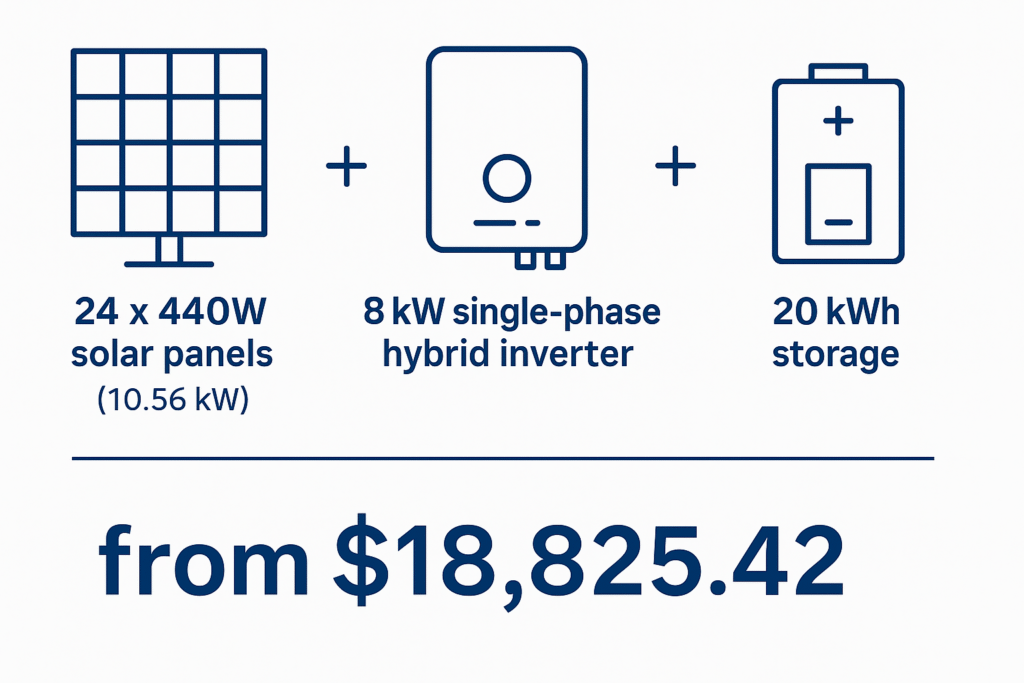
Know Your Rights

If you ever feel like you’ve been misled, overcharged, or locked into a plan you didn’t agree to, there are protections in place.

Your Rights – Energy and Bills (NSW)

This site outlines what you’re entitled to as an energy customer, including how to dispute a bill or cancel a contract.

Thinking of Switching?

The NSW government also offers a step-by-step guide to switching providers. It covers what to expect, how to avoid pitfalls, and how long it takes.

These tools won’t magically give you the cheapest plan — but they will give you clarity. And in an industry built on confusion, that’s half the battle.

Why We Can’t Recommend One ‘Best’ Retailer

People often ask us, “Which energy provider should I go with?” And honestly — we can’t give you a single name. Not because we’re sitting on the fence, but because there isn’t one universal best.

Here’s why:

Retailers like AGL, Origin, Red Energy, Energy Australia, and Alinta can offer wildly different rates to different people, even in the same suburb. What you get offered depends on your usage, your solar export, your postcode, and sometimes just how hard you pushed on the phone.

Two neighbours could have the same provider but be paying completely different rates. That’s how murky the market is.

So instead of giving you a name, here’s what we suggest:

  • Use the Energy Made Easy tool to see what deals are actually available to you
  • Ignore the marketing spin — dig into the usage and supply rates, and compare apples to apples
  • Don’t be afraid to switch — or at least threaten to. Loyalty doesn’t pay

There are decent deals out there — but they don’t often come to you. You have to go hunting.

Want to Worry Less About Electricity Prices? Consider Solar + Battery

If you’re sick of chasing deals, haggling rates, dodging hidden charges — there’s another path: generate and store your own power.

When you install solar panels, you reduce how much electricity you need to buy. Add a battery, and you can store excess solar to use at night instead of drawing from the grid. That means you’re far less exposed to rising supply charges or shrinking feed-in tariffs.

To be clear — going solar doesn’t mean you’re cutting ties with your electricity provider entirely. However, it does mean you stop caring quite so much about what they do next.

It’s the only real way to regain control.

Of course, solar and battery systems are an investment, and they’re not right for everyone. However, if you’re using a lot of power — particularly in the evenings — or you’re fed up with the energy market merry-go-round, it’s worth seriously considering.

The team at Lenergy receiving a local business award in the Southern Highlands for Business of the Year,

Not sure where to start or how to decode your bill to see if it makes sense? That’s something we can help with. No sales pitch — just help understanding whether energy independence is a smart move for your household.

Final Thoughts: Take Back Control of Your Energy Bill

Choosing the best electricity provider for your home or business shouldn’t feel overwhelming — However for most Australians, that’s unfortunately the reality. With confusing plans, inconsistent pricing, and limited reward for loyalty, it can be frustrating.

However, now you know not to get sucked in by a shiny feed-in tariff. You know how to spot the real costs in a plan. You’ve got tools to compare offers clearly, rights to protect yourself, and haggling tips that work.

There’s no perfect provider. But there is a perfect plan for your situation — if you’re willing to do a bit of homework.

Solar and battery storage can give you real freedom — not just from rising bills, but from the stress of watching them. If you’re feeling stuck or unsure, reach out. Whether it’s decoding your bill or understanding how solar might help, we’re here to make it clearer — not sell you something.

Sigenergy Is No.1 in Australia Again – 3 Months in a Row

If you’re thinking about solar batteries right now, there’s a good chance you’ve heard the name Sigenergy pop up. And there’s a very good reason why: for three months straight, Sigenergy has been ranked #1 battery brand in Australia. More and more Aussie homeowners are choosing Sigenergy because it delivers where it counts: solid performance, dependable reliability, and smart features that actually make a difference.

But what does being “No.1” really mean for you, the homeowner? And should you consider Sigenergy for your own solar and battery setup?

Why Is Sigenergy Ranked No.1 in Australia?

Who’s saying Sigenergy is #1?

The answer? Market adoption and installer feedback across Australia.

Sigenergy battery installation at home

At Lenergy, we’ve seen a massive uptick in demand for Sigenergy batteries. Why? Because they’ve built a reputation fast — not with gimmicks, but with real-world performance:

  • All-in-one Sigenergy Industry-leading AI-powered energy management
  • Seamless VPP (Virtual Power Plant) integration
  • Expandable storage — scale with your family’s needs
  • Sleek, modern design that actually looks good on your home

These aren’t just features on a brochure. They’re the reasons real Aussies are making the switch, and why Sigenergy has claimed the top spot for 3 months running.

What Real Homeowners Ask Us Every Day About Sigenergy

Because we talk to thousands of homeowners through Lenergy, here’s what they’re actually asking:

Is Sigenergy better than Tesla Powerwall?”
Yes — especially for Aussie homes where flexibility, performance, and smart management are key. Sigenergy doesn’t just store power; it thinks about how to use it best. It also has three phase backup as well a variety of different inverter sizes and at a better cost.

“Will it work with my solar system?”
Yes. For homeowners who already have solar panels installed, This Sigenergy SigenStor battery can be AC coupled, meaning this battery can easily integrate with your existing setup. This can also be DC coupled meaning you can add panels directly to its integrated inverter.

Is it worth the cost?
Absolutely. While not the cheapest, Sigenergy offers long-term savings, smarter energy usage, and peace of mind — especially when paired with our new Federal Battery Rebates and VPP Incentives.

Here’s What Sets Sigenergy Apart

AI powered home battery - Sigenergy
  1. AI-Driven Smart Battery
    Sigenergy isn’t passive. It learns your usage patterns, adapts to seasons, and even sells excess power back through the grid when rates peak.
  2. Modular and Future-Proof
    Need more storage in 2 years? Just add another module — no rip-and-replace.
  3. Designed for Aussie Conditions
    Durable. Efficient. Certified for Australian standards. Built to last through our climate.

Why Lenergy Backs Sigenergy

We’re not just an installer. We’re energy partners. That means recommending the brands we’d put on our own homes — and Sigenergy fits that bill.

We’ve seen firsthand how much smoother the install process is. How customers report higher performance. How our tech support team gets fewer calls (because things just work).

That’s why we’ve made Sigenergy a preferred solution in our lineup — and why we’re not surprised to see them leading Australia three months straight.

Final Take: Should You Choose Sigenergy?

If you want a battery system that’s smart, scalable, and future-ready, Sigenergy is the standout choice. Add the fact that it’s been Australia’s #1 battery brand 3 months running, and the message is clear:

Proven performance
Trusted by homeowners nationwide
Backed by Lenergy’s expert design and support

Still got questions? That’s what we’re here for. Reach out, ask away, and let’s see if Sigenergy is right for your home.

Lenergy office staff at office located in Moss Vale, NSW

ESY Sunhome HM6 Battery Review – Is It the Right Choice for Your Home?

If you’re thinking about adding a battery to your solar setup, you’ve probably noticed there are a lot of options out there. Each one claims to be the smartest, most powerful, most reliable system on the market. It can be overwhelming trying to figure out which battery actually lives up to those claims—and which ones just sound good on paper.

We’ve recently had a lot of homeowners ask us about a newer battery called the ESY Sunhome HM6. It’s an all-in-one unit that combines a hybrid inverter with modular lithium battery storage. On the surface, it looks impressive. However: does it do what it says it does—and is it a good fit for your home?

In this review, we’ll break it all down. No hype. Just clear answers to the questions you’re already asking—about performance, reliability, blackout protection, pricing, and how it stacks up against other batteries in the same category.

What Is the ESY Sunhome HM6 Battery?

The ESY Sunhome HM6 is a fully integrated solar battery system that combines two major components into one: a 6 kW hybrid inverter and modular lithium iron phosphate (LiFePO₄) battery storage. This means it can manage your solar input, store excess energy, and provide backup power—all in a single, compact unit.

One of the HM6’s biggest advantages is its modular design. Each battery module stores 5.12 kWh, and you can stack up to six modules, giving you a total capacity of 30.72 kWh. That kind of flexibility allows homeowners to start with a smaller setup and scale up as energy needs grow.

It’s also built for Australian conditions. The HM6 is IP66 rated—fully waterproof and dustproof—so it can be installed inside or outdoors without issue. It operates quietly (under 25 dB) and handles temperatures from –25 °C up to +60 °C, making it suitable for harsh environments. 

The battery uses LiFePO₄ chemistry, which is known for being stable, long-lasting, and safe. It also includes intelligent features like real-time monitoring through a mobile app, as well as the ability to charge from solar even during a blackout, giving it a major edge in energy resilience.

In short, the ESY HM6 is:

  • A smart, all-in-one solar battery system
  • Scalable from 5.12 to 30.72 kWh
  • Built tough for real-world use
  • Quiet, low-maintenance, and easy to monitor
  • Designed to keep your home running—even during outages

Who Is This Battery Best Suited For?

The ESY Sunhome HM6 isn’t necessarily the right battery for every home—but for the right setup, it can be a solid option.

Ideal for Homes with Solar (or Planning to Add It)

If you already have solar or are thinking of installing it, the HM6 gives you a clear path to maximise your self-consumption. Instead of sending unused solar back to the grid for a low feed-in tariff, you can store that energy and use it later—especially in the evening when energy rates tend to spike.

Great for Households That Want Backup Power

If you live in an area prone to blackouts or just want peace of mind knowing your essentials will keep running when the grid goes down, the HM6 is worth considering. It can back up essential household circuits (like fridges, lights, Wi-Fi, and garage doors), additionally, it can recharge from your solar panels even during a blackout. Not all batteries can do that.

Perfect for Growing Energy Needs

The modular design makes it ideal for homeowners who want the option to expand. Maybe you’re starting with a smaller system now but plan to add an EV, pool pump, or extra living space later. With the HM6, you can scale from 5.12 kWh to over 30 kWh without needing to replace the whole setup. However, it is important to note; currently, you can only add the Federal Battery rebate once, so it is far more cost effective to do it once and do it right.

Who It Might Not Be Right For

  • Apartments or units with no dedicated solar access or installation space
  • Households that need whole home backup. This system only provides 6kW in the event of a blackout. If whole home backup is crucial then Sigenergy would be more suited.
  • Households that require a 3-phase backup solution (the HM6 is single-phase only—though it can still work in 3-phase homes for solar self-use) They are currently working on getting their larger 10kW systems approved for later in 2025.

Smart Features & Monitoring

These days, a good battery should do more than just store energy. It should help you understand how your home uses power—and give you the tools to stay in control. The ESY Sunhome HM6 delivers on that front with a full suite of smart features designed to make your energy setup feel less like guesswork and more like a well-oiled machine.

Real-Time Monitoring from Your Phone

With the HM6, you can track everything through a mobile app or online portal. You’ll be able to see:

  • How much solar your panels are generating
  • How much power your home is using
  • What’s going into (or coming out of) the battery
  • And what’s going to or from the grid

It gives you a live view of your system in action, 24/7. And if something isn’t performing the way it should, you’ll spot it straight away.

Installation & Warranty

Installation is straightforward for any CEC-accredited installer, and Lenergy has already integrated it into our standard install process. Because the inverter is built in, there’s less wiring, fewer components, and less room for things to go wrong.

And in terms of peace of mind? You’re backed by a 10-year warranty on both the inverter and battery, with at least 70% capacity guaranteed at year 10.

Pros and Cons

Every battery has its strengths and trade-offs, and the ESY HM6 is no different. But if you’re after something that’s simple, flexible, and well-built, it brings a lot to the table. Here’s a straight-up look at what it does well — and where it might not be the best fit.

Pros

  • All-in-one system – Battery + hybrid inverter in one sleek unit = easier install and less clutter
  • Modular and expandable – Start with one module (5.12 kWh) and scale up to 30.72 kWh
  • Recharges from solar during blackouts – A big plus for energy security during extended outages
  • LiFePO₄ battery chemistry – Safe, stable, and long-lasting
  • App monitoring & smart modes – Control and track your system in real-time
  • IP66 rated – Waterproof and dustproof, suitable for indoor or outdoor installs
  • Quiet operation – Passive cooling means no noisy fans
  • 10-year warranty – Backed by solid performance guarantees

Cons

  • Single-phase only – Not ideal for homes needing 3-phase backup (though still compatible with 3-phase homes for general use)
  • Still relatively new in the Aussie market – Less brand recognition compared to Tesla or Sonnen
  • Stacked design adds height – A fully stacked 6-module system may need a bit more vertical clearance

Overall, the pros far outweigh the cons — especially if you’re looking for a reliable, scalable battery that doesn’t require multiple boxes and custom setups. But like any big energy investment, it’s important to match the system to your actual needs.

Final Verdict: Is It Worth It?

If you’re looking for a reliable, flexible, and well-priced battery to pair with your solar system, the ESY Sunhome HM6 is absolutely worth a look.

It offers a solid mix of features that matter in the real world — smart energy management, blackout protection, solar charging during outages, and the flexibility to scale over time. It’s built tough for Australian conditions, runs quietly, and doesn’t need a whole wall of hardware to get started.

No, it doesn’t have the brand name of a Tesla or the price tag of Sigenergy — but that’s exactly why it stands out. It strikes a great balance between quality, simplicity, and value. At Lenergy, we proudly supply and install the ESY HM6 as part of our residential battery offering. If you’ve got questions or want help deciding if it’s the right fit for your home, our team is always happy to chat.

Lenergy team standing infront of the Lenergy Warehouse

NSW Battery Rebate Suspended: What This Means for Solar and Battery Buyers in 2025

If you’ve been considering a home battery in NSW, you’ve likely come across news about the state’s battery rebate program—and now, the unexpected update that it’s coming to an end.

From 1 July 2025, the NSW Government will suspend its battery installation rebate, which has helped thousands of households reduce the cost of installing a battery. Here’s what’s changing, and what it means for homeowners.

Why Is the Rebate Being Suspended Now?

For months, both Penny Sharpe (NSW Energy Minister) and Chris Bowen (Federal Energy Minister) publicly stated they were working to overcome the issue of “incentive stacking”—the challenge of offering state and federal rebates on the same battery install. They encouraged people to carry on as normal, suggesting a collaborative solution was in the works.

Penny Sharpe and Chris Bowen Ministers of Energy standing in front of a solar system

So it’s come as a surprise to many that NSW has now confirmed its battery rebate will end on 1 July, right when the new federal program is expected to begin.

There’s still support coming from the Commonwealth—potentially covering up to 30% of the battery cost—but the change of direction at state level has caught many off guard. Especially for homeowners who made plans under the assumption that both incentives could be used together.

What Will Replace the NSW Battery Rebate?

Rather than continue offering a rebate, the NSW Government will instead boost Virtual Power Plant (VPP) incentives under the Peak Demand Reduction Scheme (PDRS).

If you install a battery and sign up to a VPP with an eligible provider, you could receive up to $1,500, depending on the system size and provider offer—an increase from the average $800 currently available.

However, this is not the same as a direct, upfront rebate. To access the VPP incentive, you must:

  • Sign up for a minimum three-year VPP contract
  • Agree to let your battery be accessed by the provider during certain times (typically peak demand)

For some homeowners, that’s no issue. For others, particularly those who want to maintain full control over how and when their battery is used, the idea of being locked into a contract—and potentially seeing their stored energy discharged when they need it most—raises concerns.

So while stacking the state’s VPP incentive with the federal battery rebate is possible, it’s not quite the solution many were expecting.

Is It Still Worth Getting a Battery?

Yes, it still is. While the NSW battery rebate is coming to an end, the federal rebate is substantial—covering around 30% of battery system costs, which adds up quickly, especially for larger installations.

This new rebate alone makes battery storage far more accessible than before—and that’s before you even consider additional incentives like VPP payments under NSW’s PDRS scheme.

How Much Can You Save with the 2025 Battery Rebates?

Here is a clear look at potential savings using Sigenergy’s SigenStor modular batteries:

Number of Units (kWh)Federal Rebate
1 (8kWh)$2,792
2 (16kWh)$5,585
3 (24kWh)$8,378
4 (32kWh)$11,171
5 (40kWh)$13,963
6 (48kWh)$16,756
Sigenergy Batteries lines up that are different sizes side by side

These figures demonstrate how substantial the rebate really is. Even without a state rebate or VPP participation, these discounts significantly lower the upfront cost.

However, it’s worth noting that VPP incentives, while still available, require a minimum 3-year commitment and some level of operational control over your battery. That’s not something everyone is comfortable with, especially if you prefer full control of your stored energy or the flexibility to change plans later.

So, if you’re considering a battery—and would rather avoid long contracts—a system like Sigenergy’s, combined with the federal rebate alone, could still offer great value without compromise.

Final Thoughts

This rebate change has come sooner—and more definitively—than many expected, especially after repeated reassurances from both state and federal ministers.

It’s disappointing for those who planned to make the most of both incentive streams. And while support hasn’t disappeared entirely, it now comes with more conditions and longer commitments than what was originally promised.

Lenergy office staff at office located in Moss Vale, NSW

At Lenergy, our goal is to keep homeowners informed—not pressured. If you’d like to stay updated on how these policy changes evolve, or want help understanding what your options look like under the new structure, feel free to get in touch at lenergy.com.au/contact.

We’ll continue to share transparent, up-to-date information to help you make the best decision for your home.

What Are Peak Electricity Times in Australia And Why Should You Care?

Do you know that running your dishwasher at 7 pm costs more than doing it at 10 pm?

It’s the same appliance, same power usage, so why the price difference?

Most people don’t realise that electricity isn’t priced equally all day. Depending on when you use it, the cost can jump significantly, especially if you’re on a time-of-use tariff.

The problem? Many Australians are unknowingly using the bulk of their power during peak periods, when demand is highest and rates are too. That quiet spike in cost can make your bill feel confusing or even unfair.

At Lenergy, we get how frustrating it is to feel punished for just living your routine. That’s why we’re here to clear it all up, so you can make an informed choice. 

In this guide, you’ll learn what “peak electricity times” really mean, why they exist, and how to make simple shifts that could save you money every single month.

What Does “Peak Electricity Time” Mean?

If you’ve ever looked closely at your energy bill or even just heard the term “peak pricing,” you might be wondering what it actually refers to.

In simple terms, “peak electricity times” are the hours of the day when most people use power at the same time. Think of it like rush hour on the roads: everyone’s cooking dinner, doing laundry, running the heater or air conditioner, and charging devices all at once. With more demand on the grid, the price of supplying electricity goes up, and so does the rate you’re charged.

Here’s how energy use is typically broken down across a day:

  • Peak: These are the busiest, most expensive hours. In the late afternoon and evening (such as 4 pm to 9 pm), when people get home from work.
  • Off-Peak: These are the quiet hours, overnight (between 10 pm to 7 am), when far fewer people are using electricity, and rates are lower.
  • Shoulder: These are the in-between periods, like mid-morning or early afternoon, where demand is moderate and prices sit somewhere in the middle.

Understanding this time-based pricing is the first step in learning how to better manage your energy costs and your usage habits.

Lenergy office staff at office located in Moss Vale, NSW

Why Does Electricity Cost More at Certain Times?

The answer lies in demand and supply. During peak periods, when lots of households and businesses are using electricity at the same time, energy providers have to generate and distribute more power quickly. This often means turning to more expensive or less efficient sources of electricity to keep up.

Think of it like this: if everyone turns on their air conditioner at 6 pm on a summer evening, the grid gets overloaded. To meet that sudden spike in demand, providers may need to bring in backup power, which costs more to supply. Those extra costs get passed on to you in the form of higher rates during peak times.

It’s also about managing the load on the network. If the system gets too overloaded, it risks outages or instability. Higher pricing during peak times helps spread out demand, encouraging some people to shift their usage to quieter periods.

In short: You’re not just paying for the electricity itself. You’re also paying for how easy (or hard) it is to deliver it to you at that specific time.

When Are Peak Electricity Times in Australia?

The answer can vary depending on your state, your electricity provider, and your specific plan. However, most follow a similar pattern based on overall demand trends.

Here’s a general guide by Energy Made Easy:

Note:
Time blocks and definitions vary slightly between energy retailers. Weekends and public holidays may have reduced rates or default to off-peak/shoulder times. Always refer to your individual plan for exact times.

Knowing these time windows helps you make smarter decisions about when to run major appliances or use power-hungry devices.

How Do Time-of-Use Tariffs Work on Your Electricity Bill?

With a time-of-use tariff, your electricity usage is charged at different rates depending on the time of day you use it. Instead of paying a flat rate per kilowatt hour (kWh), your bill reflects how much energy you used during peak, shoulder, and off-peak periods.

Here’s a basic example:

Time PeriodUsageRate per kWhTotal Cost
Peak (4–9 pm)3 kWh40 cents$1.20
Shoulder (9 am–4 pm)5 kWh25 cents$1.25
Off-Peak (10 pm–7 am)7 kWh15 cents$1.05
Total15 kWh$3.50

If you had used all 15 kWh during off-peak hours, your cost would have been $2.25 instead of $3.50. That’s a 36% difference, just based on timing.

Your bill typically includes:

  • A breakdown of usage by time period
  • A rate for each period
  • A fixed daily supply charge (regardless of usage)

With a Time-of-Use (TOU) plan, it’s not just how much energy you use, but when you use it that affects your final cost. That’s why shifting usage to cheaper periods can make a real difference over time.

5 Simple Ways to Save Money by Avoiding Peak Times

Now that you know what peak electricity times are and how they affect your bill, the next step is making small changes that can lead to real savings. 

Client testimonial saying that her electricity bills are now in credit

Here are five practical, beginner-friendly strategies:

1. Use timers on major appliances

Many dishwashers, washing machines, and dryers have a delayed start feature. Set them to run after 10 pm when off-peak rates usually kick in. You’ll get the exact same cleaning for less money.

2. Charge devices and electric vehicles overnight

If you charge phones, laptops, or an electric vehicle at night, do it during off-peak hours. Plug in before bed and wake up to full batteries at lower costs.

3. Shift heating and cooling use

Heating and cooling are some of the biggest energy consumers. Instead of blasting the heater at 7 pm, preheat your space slightly earlier during shoulder times and use insulation or closed doors to maintain comfort.

4. Avoid running everything at once in the evening

This one’s simple: don’t cook, run the dryer, charge devices, and take a hot shower all between 6 and 8 pm. Spread out your usage to avoid the costliest window.

5. Use a smart energy monitor

If your home has a smart meter, some energy providers offer apps or portals that show your real-time usage. This helps you spot patterns and identify what’s costing you most during peak times.
These changes might feel small, but they add up. If you regularly move just 20 to 30 per cent of your energy use to off-peak times, you could see a noticeable drop in your bill, without giving up any comfort or convenience.

Should You Even Care About Peak Times?

If you’re one of the richest men in Australia, you really shouldn’t care about peak times. You can pay whatever so why bother? But if you’ve made it this far in this article, we’re guessing you’re not one of the richest men in Australia, so you should definitely care. 

It’s not about obsessing over every appliance or sitting in the dark to save money. It’s about knowing how your bill works so you can make a few smarter choices. Once you understand how peak times impact your costs, you’re no longer stuck with a “surprise” at the end of each billing cycle.

Caring about peak electricity times isn’t about adding stress. It’s about gaining clarity, reducing waste, and making your energy spend work better for you.

Lenergy team leader smiling in front of work van on site about to install solar

Talk to Lenergy today and start saving smarter. 

Can I Get My Solar Installed for Free? Here’s What You Need to Know

You’re probably wondering, “Can I actually get solar installed without paying anything upfront?”

It’s a question we hear all the time—especially when we’re out speaking with homeowners face-to-face. It’s easy to see why people are sceptical—getting solar with no upfront cost sounds too good to be true.

At Lenergy, we want to help you make an informed decision when it comes to anything solar. In this guide, you’ll get a clear, honest look at how you can get solar installed with no upfront payment, and what options you actually have.

By the end of this article, you’ll know exactly how our different finance and plan options work.

Option 1: 0% Interest Loan – Own Your System, No Upfront Costs

Want to own your solar or battery system but don’t want to fork out the full cost upfront? Lenergy’s 0% Interest Loan could be the perfect fit. This option allows you to install a brand-new solar or battery system with no deposit required and you’re able to pay it off over five years—interest-free.

Here’s how it works:

  • $0 Upfront – No deposit or initial payment needed to get started.
  • 0% Interest for 60 Months – Spread your repayments over five years with no added interest or hidden fees.
  • Start Saving from Day One – Your energy savings can help offset your loan repayments.
  • You Own the System – From day one, you’re investing in your property—not renting a system.

Example:
If your electricity bill is around $250 a month, switching to solar could reduce it dramatically—sometimes even down to zero. Instead of handing that money to your energy retailer, you can redirect it toward your loan repayments. You’re essentially swapping your power bill for a solar repayment—with the added benefit of owning your system outright at the end.

Who is it ideal for?

  • Homeowners who want full ownership from the start
  • People who qualify for finance but prefer to avoid interest costs
  • Those looking to increase home value and long-term savings
Team at Lenergy installing a solar system at home in the Southern Highlands

With full warranties, expert support, and cutting-edge tech, this plan lets you go solar confidently, without taking a financial hit upfront.

Option 2: Lenergy Power Plan – Like a Mobile Plan, But for Solar

Not keen on a loan, but still want a fixed, predictable payment? The Lenergy Power Plan is a hassle-free way to get solar with no upfront cost, no loan, and no interest with just a consistent monthly fee.

Think of it like your mobile phone plan: you don’t pay for the phone upfront. You just pay monthly for the package. This is the same idea, but for solar.
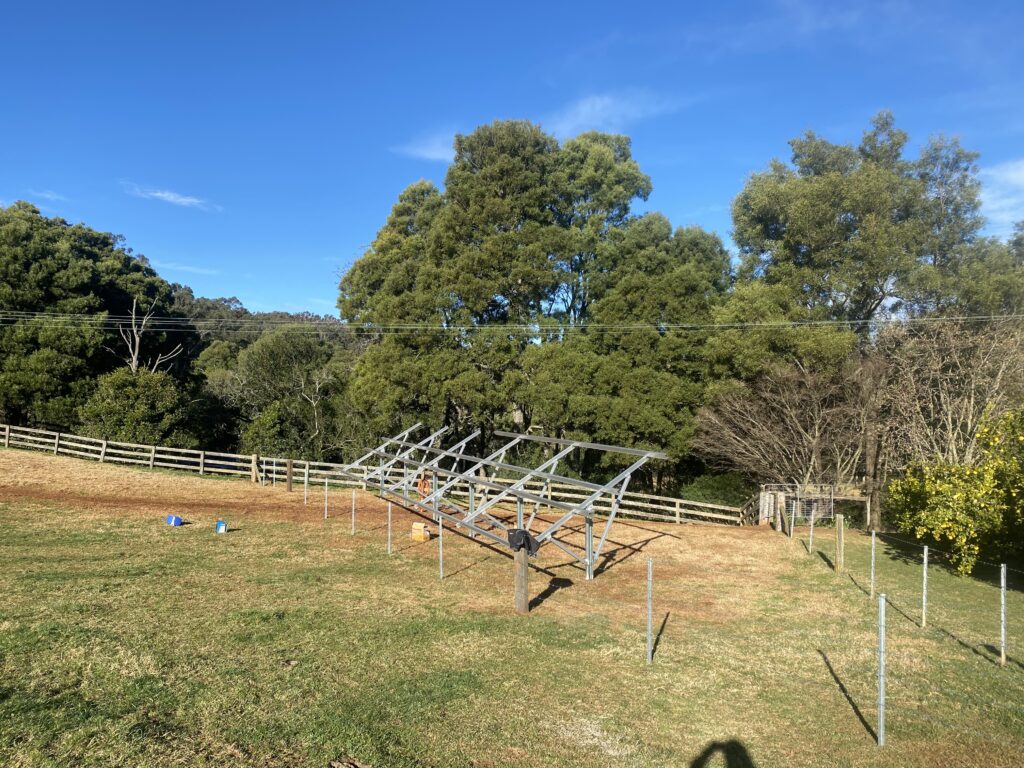
How does it work? 

  • Fixed Monthly Payments – You pay the same amount each month, making it easy to budget.
  • No Surprise Bills – Your solar system is fully maintained, upgraded if needed, and comes with a 100% performance guarantee.
  • Includes Warranty & Support – We take care of your system for the life of the plan.
  • VPP Incentive – Join our Virtual Power Plant (VPP) network and get extra value from your solar system.

This plan gives you all the benefits of solar: lower energy bills, clean energy use, and independence from energy companies, without the stress of maintenance or repair costs.

Who is it ideal for?

  • Don’t want debt on their record
  • Prefer a set-and-forget approach
  • Like the idea of always having an upgraded, well-maintained system
  • Those not ready to buy outright but still want solar now.

With the Power Plan, you get peace of mind and consistent energy savings, all wrapped into one simple monthly package.

solar panels installed by Lenergy on roof with ample sun in the Southern Highlands

Option 3: Payless Smart Plan – Zero Cost, Lower Energy Bills

If you’re looking for the lowest-risk, commitment-free way to start using solar, the Payless Smart Plan might be exactly what you need.

This plan is built for homeowners who want to start saving on their energy bills without buying a system or even signing up for a loan. You simply switch to Lenergy as your electricity provider, and we install the solar system at no cost to you.

How does it work?

  • $0 Installation Cost – You don’t pay for the system, installation, or setup.
  • Stay on the Grid – You still get your power through Lenergy, but now a portion of it comes from the solar on your roof.
  • Pay Less for Power – Your electricity rates go down, and you keep saving.
  • Earn More with Solar – We offer a generous 18c/kWh solar feed-in tariff, so you can earn credit for the energy you don’t use.
  • Option to Buy Later – If you change your mind down the line, you can choose to buy the system.
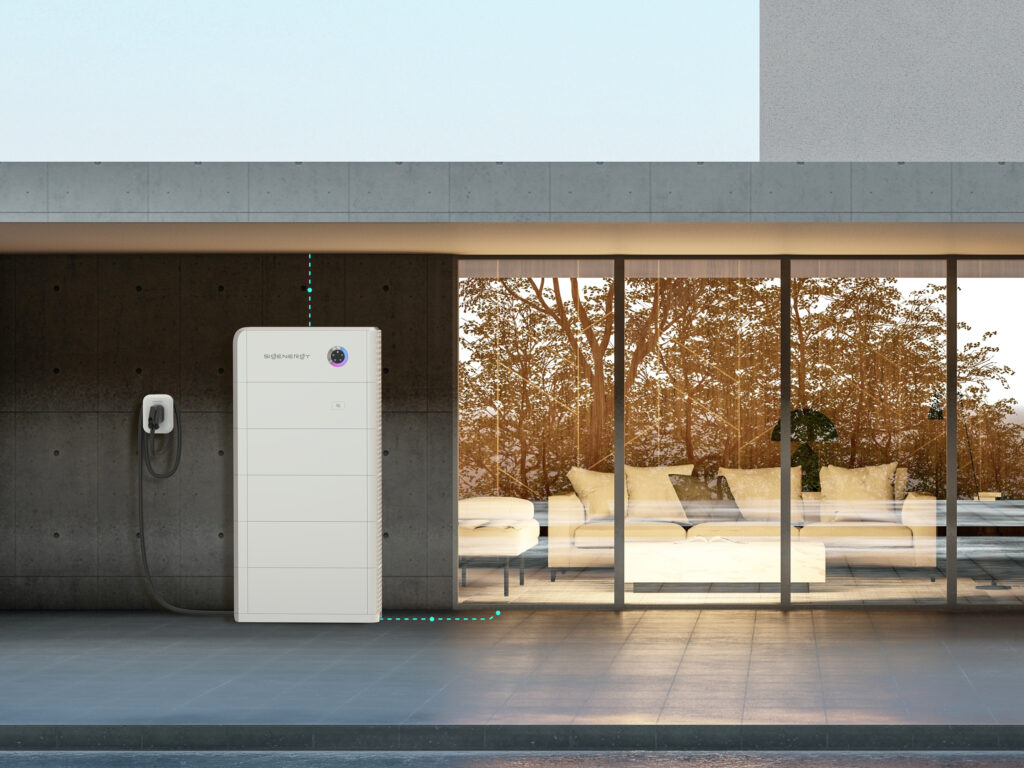
This plan is ideal if you’re curious about solar but not ready to make a long-term financial commitment. You’re essentially borrowing the benefits of solar with no upfront cost and no risk.

Who is it ideal for?

  • Homeowners who want to reduce bills but don’t want to get financing or a loan
  • People renting out a property who want to make it more energy-efficient
  • Those wanting to “test” solar before committing to full ownership

It’s the easiest entry point into solar, with zero upfront cost, zero hassle, and all the benefits.

2 Lenergy team members installing solar at home in Bowral

Option 4: Solar Finance – A Loan That Works for You

If you’re looking for a bit more flexibility in how you pay for your solar system, Brighte Solar Finance gives you more control over the loan amount, term, and repayment style.

Unlike the 0% Interest Loan, which is fixed at 60 months, Brighte offers tailored finance options that suit a range of budgets and home improvement goals.

How does it work?

  • Loan Amounts from $1,000 to $45,000 – Whether you’re after a basic setup or a premium system with battery storage, you can finance exactly what you need.
  • Flexible Terms – Choose the repayment period that suits your cash flow.
  • Quick Approval Process – Brighte specialises in home energy finance, so getting approved is fast and simple.
  • Fixed Interest Rate – You’ll know exactly what you’re paying over time, no hidden surprises.

Who is it ideal for?

  • People who want to own their solar system outright.
  • Need a more personalised finance structure.
  • Might be doing other home upgrades at the same time (like aircon, insulation, or battery storage)

Brighte’s plans are designed to be transparent and predictable, with support every step of the way. It’s a strong choice if you’re ready to go solar and want flexibility beyond standard loans.

Which Option Is Best for You?

By now, you’ve seen there’s no one-size-fits-all when it comes to solar payment options, and that’s a good thing. The right option depends on your goals, your budget, and how much flexibility you need.

To make things easier, here’s a simple comparison:

PlanUpfront CostOwnershipMonthly PaymentsInterestBest For
0% Interest Loan$0YesYesNoPeople who want to own the system and avoid interest
Lenergy Power Plan$0NoYes (Fixed)NoThose who want predictability, full support, and no loan
Payless Smart Plan$0NoNoNoThose who want immediate bill savings without commitment
Brighte Solar Finance$0YesYes (Flexible)YesPeople wanting tailored finance and long-term ownership
Lenergy office staff at office located in Moss Vale, NSW

Still not sure?

Here’s how to decide:

  • Want to own it without paying upfront or interest? Get the 0% Interest Loan.
  • Want simple payments and full support? Get the Lenergy Power Plan.
  • Want to save instantly with no financial tie-in? Get the Payless Smart Plan.
  • Want flexible finance to suit your life? Get the Solar Finance

No matter your situation, there’s a plan that lets you go solar without the financial stress. The key is finding the one that matches your lifestyle, home, and long-term goals.

Ready to Go Solar with No Upfront Cost?

Going solar can come with quite a price tag, but there are so many ways to get it installed with no upfront cost. 

Whether you want to own your system, keep your options open, or just start saving without the pressure, there’s a Lenergy payment option designed to fit your life. 

The real takeaway? You don’t have to wait. You don’t need to save thousands. And you don’t need to get tangled in complicated finance.

You just need the right plan.

Let’s make solar simple.

At Lenergy, we believe in making solar easy, accessible, and transparent. Whether you’re ready to install or just exploring your options, our team is here to help. Call us on 1300 887 785 or learn more about our payment options to compare plans and book a free consultation.

Lenergy team photo located at their warehouse in the Southern Highlands